March 22, 2026
Orbitvu Station 26.1 - Glowing Light
Real-time background removal, Broncolor lighting control, Capture One RAW support, custom metadata, and a new automation API — all in Orbitvu Station 26.1.

While using Orbitvu Station took your Orbitvu device to the next level, the new 19.1 makes working on visual content creation even more convenient.
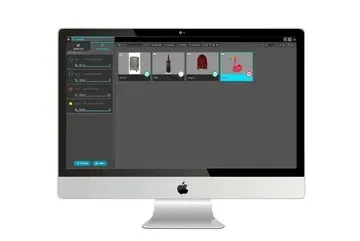
Table of contents
While using Orbitvu Station took your Orbitvu device to the next level, the new 19.1 makes working on visual content creation even more convenient. Export multiple sessions with batch publish. Get better photos with “Adaptive contrast” tool. Use video templates to achieve consistent videos and upload them directly to YouTube. Work more intuitively with the refreshed user interface.
PUBLISH allows you to export and upload at the same time and thus save a lot of time.
With BATCH PUBLISH simply choose multiple sessions with your assets (photos, videos, 360-degree spins) and select one or more publish profiles to output your files to preferred destinations (local drive, Orbitvu SUN cloud, e-commerce plugin or youtube).
Introducing the new tool that helps to achieve high-quality images easily – works like magic with a single slider control and its settings can be stored within a template to work fully automatically.
Adaptive contrast brings more vivid colors, renders more detail in textures and dark areas, boosts the overall contrast while preserving highlights and colors from clipping.
Want to upload your videos on YouTube? Now you can do it directly from the application.
New Video template - Orbitvu Station 19.1.2
We have added some UI updates to make working with Orbitvu Station even more convenient.
Keyboard shortcuts are a great tool to speed up your workflow and quickly access the most used software controls – e.g. hit ENTER to capture the whole sequence of images, CTRL+N to create a new session, CTRL+S to save the session or ? to rotate turntable by 1° left.
Orbitvu Station is free of charge for all clients with an active support plan. If you want to try our new software but you do not have the support plan, please activate it on your SUN account at orbitvu.co or contact our sales forces at [[email protected]](/cdn-cgi/l/email-protection#87f4e6ebe2f4c7e8f5e5eef3f1f2a9e4e8ea).
Use the form to tell us what you are planning and what kind of product content workflow you need.
March 22, 2026
Real-time background removal, Broncolor lighting control, Capture One RAW support, custom metadata, and a new automation API — all in Orbitvu Station 26.1.
July 1, 2025
Brace yourself! Orbitvu is coming to FIN, this time in London! This latest series aims to provide insight into the latest e-commerce photo studio technology and workflow tools globally being implemented by studios both large and small. We are proud to partner with FIN for this event after a roaring success in LA, New York, and Atlanta.
July 1, 2025
Go big or go home. This version of Orbitvu Station introduces support for ALPHASHOT PRO G2, a completely new approach to light customization and user interaction, along with our innovative AI Photo Assistant. Are you ready for it?