June 23, 2026
Orbitvu Station 26.2 "Flawless Signet": less manual work, more consistent shots
Orbitvu Station 26.2 introduces three new AI tools, smarter exposure, and a cleaner capture workflow to reduce manual work and improve consistency.

Orbitvu Station gets new features, compatibility updates, and performance improvements with the new version released in July. It brings faster, simpler workflows, and enhanced user experience to the growing photography automation market.
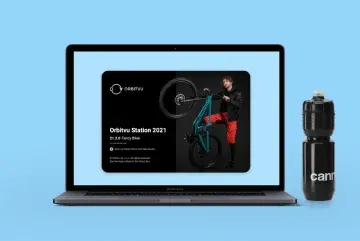
Table of contents
Orbitvu Station gets new features, compatibility updates, and performance improvements with the new version released in July. It brings faster, simpler workflows, and enhanced user experience to the growing photography automation market.
Some of the features have been developed with the help of our users and this is the direction that Station will take for the coming years. With the new anonymous data collection tool, we will be able to better cater to the customers’ needs and reply quickly with new functionalities and bug fixes.
Also the growingSony cameras compatibility will now set the tune for future developments making the Station more versatile and widening its market reach.
The improved Orbitvu Station will surprise you with a number of handy features, crucial improvements, and bug fixes. Let’s see what the Orbitvu team added in the new 21.2.0 “Fancy Biker” version.
At the “edit” stage of your workflow, you will be able to control the colors of your photo more precisely. The colorize tool will shift the hue of each color channel while keeping the control over which hues are shifted through the “grey tolerance” setting.
With its option to change the range of colors selectively, it will be a useful tool for anyone who aims at vibrantly and originally colored product photographs.
How to do: Colorize tool I Orbitvu Station Software
Orbitvu devices have been known for being able to work with multiple cameras and allowing the creation of multi-row spins at one go. In the 21.2.0 version we have introduced a new camera manager to enhance your experience of controlling the equipment.
It is based on a custom in-house communication library, which makes it even faster, invites more complexity, and keeps the solution flexible for all users.
Flip tool is a useful feature that allows you to mirror images with just one click in the interface.
Your product is turned to the left in the photo while the design of your website requires one turned to the right? Now, there is no need to refer to external post-processing, Orbitvu Station can do the flip.
How to do: Flip tool I Orbitvu Station Software
Adobe Photoshop has been the key post-processing tool for our customers. Its PSD files are a universal way to keep multi-layered image data. The good news for Photoshop users is there: Orbitvu Station now supports the export to PSD.
You can easily integrate your product photography workflow with the all-around Adobe toolset.
How to do: PSD file export I Orbitvu Station Software
Cropping is almost always a necessary step of the workflow. In the Station the cropping proportions are expressed by a blue frame. It is now possible to further customize the blue frame through “preferences”: you can set custom proportions for the image.
Photographing irregular items? A catalogue of non-standard ratio photos to be published? No longer will you face a settings obstacle in your workflow.
Blue frame custom proportions I Orbitvu Station Software 21 2 0 Fancy Biker
Improvement is our ultimate goal. With this in mind, Orbitvu Station will now collect anonymous statistics from users. It will help us to develop the functionality of the software, as well as react quickly to reported bugs.
It is possible to cancel data collection at any time, so your privacy remains protected at all times and at a level you choose.
Orbitvu studios are tightly integrated with the devices they use as peripherals. As a part of building a universal control station,it will now be possible to upgrade the firmware of connected devices from the level of Orbitvu Station.
If you experience problems with the functioning of any device, a quick firmware upgrade via Orbitvu Station might help to solve your problems. Stay up to date!
You may remember the practical “drop shadow” -> “natural shadow”selection tool. It allows you to choose between a natural, photograph-based shadow and one created digitally by the software.
This function has now been seriously improved and upgraded, so that it works effectively with image size changes.
Natural shadow tool
Publish profiles are templates that you use in the publication step of the workflow. They store all necessary information about publishing parameters of your work. Whether you want to create jpg or png files, or maybe upload them to an ecommerce platform.
They now load significantly faster at startup, all ready to save your time in the publishing process.
We have improved support for Sony cameras. This means beta support extended to Sony Alpha 9 II, Sony Alpha 7 C, and Sony RX0M2.
The Sony compatibility is a feature designed to grow and be systematically developed over future versions.
The module of publication to TIFF files has been improved for more compatibility with external software. The published TIFF files now contain an alpha channel which is visible by external applications. You can now enjoy more flexibility in this classic format.
The continuous cooperation with our innovative partners from Canon has brought newly added support for Canon EOS M6 Mark II. New cameras, new possibilities.
The new version of Orbitvu Station has undergone fixes based on user feedback. Thanks to your precise information on malfunctions and blockers in the workflows, we were able to solve the following issues:
Video timeline edition
For our clients with an active Support Plan, Orbitvu Station 21.2.0 “Fancy Biker” will be available to download free of charge from the Orbitvu SUN platform.
If you wish to gain access to all the innovative, useful features of the new release but have no active Support Plan, do not hesitate to activate it on your SUN account or contact our sales department at email protected. Not sure how to use the new features? Check out our manuals.
Use the form to tell us what you are planning and what kind of product content workflow you need.
June 23, 2026
Orbitvu Station 26.2 introduces three new AI tools, smarter exposure, and a cleaner capture workflow to reduce manual work and improve consistency.
June 16, 2026
Alphashot XL G2 is an automated product photography system that captures photos, 360, dimensions, weight, and AI OCR label data in one workflow.
March 22, 2026
Real-time background removal, Broncolor lighting control, Capture One RAW support, custom metadata, and a new automation API - all in Orbitvu Station 26.1.