March 22, 2026
Orbitvu Station 26.1 - Glowing Light
Real-time background removal, Broncolor lighting control, Capture One RAW support, custom metadata, and a new automation API — all in Orbitvu Station 26.1.

Go big or go home. This version of Orbitvu Station introduces support for ALPHASHOT PRO G2, a completely new approach to light customization and user interaction, along with our innovative AI Photo Assistant. Are you ready for it?
Table of contents
Go big or go home. This version of Orbitvu Station introduces support for ALPHASHOT PRO G2, our completely new compact photo studio equipped with 74 LED panels all around the product, which ensure photo-studio grade quality images of even the most difficult-to-photograph products. To guarantee excellent results for anyone, we’re also introducing our innovative AI Photo Assistant. Are you ready for it?
Let us introduce the first-ever AI-powered photo studio equipped with advanced multi-panel, high-contrast lighting, allowing you to create professional-grade imagery, no matter the photo experience. With ALPHASHOT PRO G2, the workflow gets effortless, the light control is greater than ever, and the results will surpass your expectations.
With this next-generation product, we introduce several new software features that in the future, can be implemented in the existing product line:
Get to know the device from the ALPHASHOT PRO G2 product page.
The latest AI-driven feature assists ALPHASHOT PRO G2 users by selecting the best light settings for the object inside the Orbitvu device. These AI-generated light settings in the form of templates automatically provide the optimal light and camera settings for the object with no user input. You can further fine-tune the lighting and save it in your own custom template.
The partnership between Orbitvu and Bright River, a leader in AI-driven visual product content solutions, has evolved into a seamless integration. Now, you can upload Still Assets directly from Orbitvu Station to Bright River Stream for retouching services or to Rendered for creating interactive 3D objects and AR from images.
This means the workflow has just become a lot easier and more creative. Have a few color versions of the same product? Shoot one of them, and the rest can be done during post-processing.
More on Bright River integration in our blog post.
Our new Focus Peaking feature helps users locate sharp edges in the Live View by drawing lines around the edges of the objects that are in focus. This ensures that the focus is always in the right place where you need it.
At Orbitvu, we are all about users' needs. That’s why MODE360° devices are now fully compatible with Orbitvu Station, which means that all the benefits of the Orbitvu ecosystem are available for MODE360° device users.
Contact the Orbitvu Customer Support department at [[email protected]](/cdn-cgi/l/email-protection#432b262f33032c31212a3735366d202c2e) to check if your device is supported by Orbitvu Station.
Apart from adding new features and integrations, we also improved some of the functionalities. For example, we upgraded thecapture logic of multi-view templates,added support for the new CanonRF 24-105mm F2.8L IS USM Z lens with the Canon Power Zoom Adapter PZ-E2,changed the position of the Superfocus feature, and added a keyboard shortcut to mark Assets as Favorite. Orbitvu Station now supports exporting 360 presentationsin AVIFand WebP formats, both locally and to Orbitvu SUN Cloud.
As for the bug fixes, we resolved several issues with our software, including an error that appeared while trying to capture single Assets without IQ Mask, minor issues with the sorting order in the newest sorting feature, and the issue in the Live View when the top and front cameras froze while using a multi-view template.
But there’s more! The full list of bug fixes and improvements can be found in our Orbitvu Station changelog.
Orbitvu Station 24.2.0 is a release full of features and integrations that will transform your workflow into more efficient and much more creative.
If you have an active Support Plan, the Orbitvu Station 24.2.0 release is now available to download from the Orbitvu SUN Cloud platform.
Don’t have an active Support Plan or want to ask about the subscriptions? Contact our sales department at [[email protected]](/cdn-cgi/l/email-protection) to get access to all the innovative features Orbitvu software has to offer!
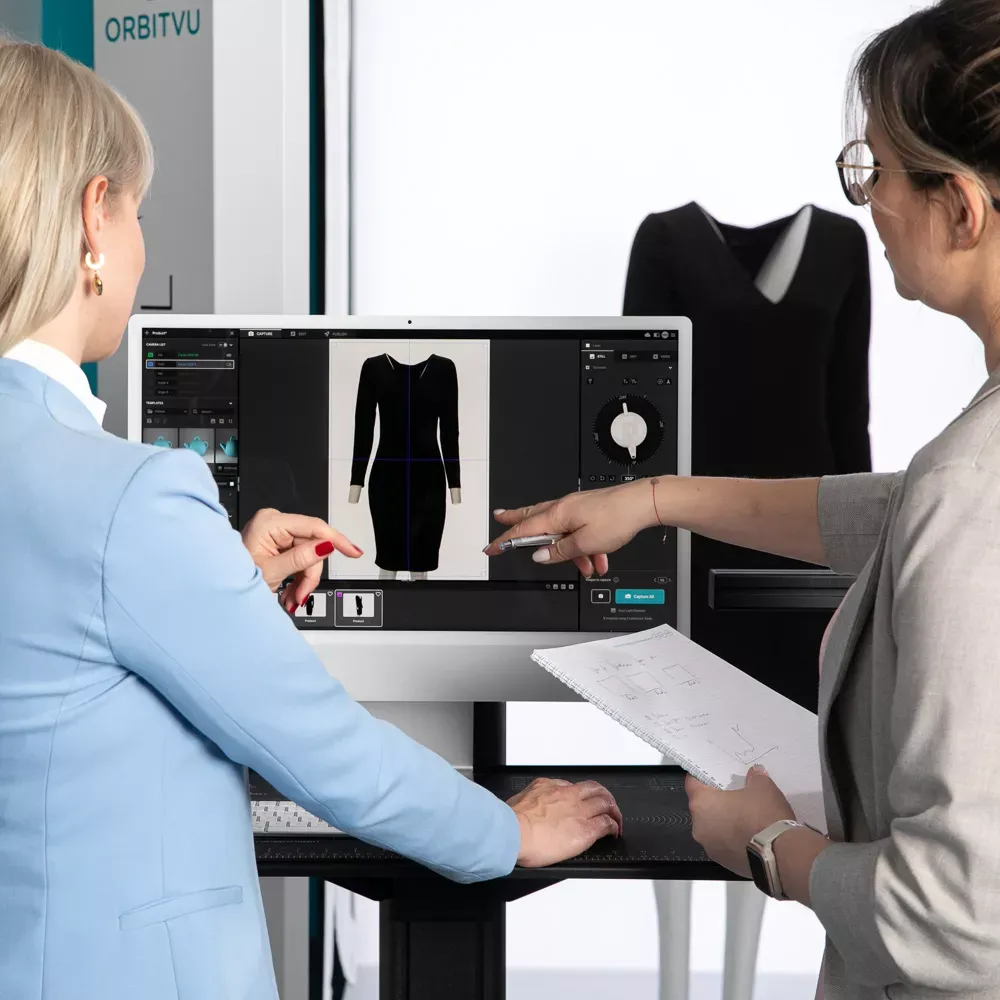
Use the form to tell us what you are planning and what kind of product content workflow you need.
March 22, 2026
Real-time background removal, Broncolor lighting control, Capture One RAW support, custom metadata, and a new automation API — all in Orbitvu Station 26.1.
July 1, 2025
Brace yourself! Orbitvu is coming to FIN, this time in London! This latest series aims to provide insight into the latest e-commerce photo studio technology and workflow tools globally being implemented by studios both large and small. We are proud to partner with FIN for this event after a roaring success in LA, New York, and Atlanta.
May 27, 2025
Get to know the new release of Orbitvu Station 25.1.0 with its new features, improvements, and bug fixes. Boost your creative workflow now!