Orbitvu

Orbitvu integrations: connect to the systems you already run

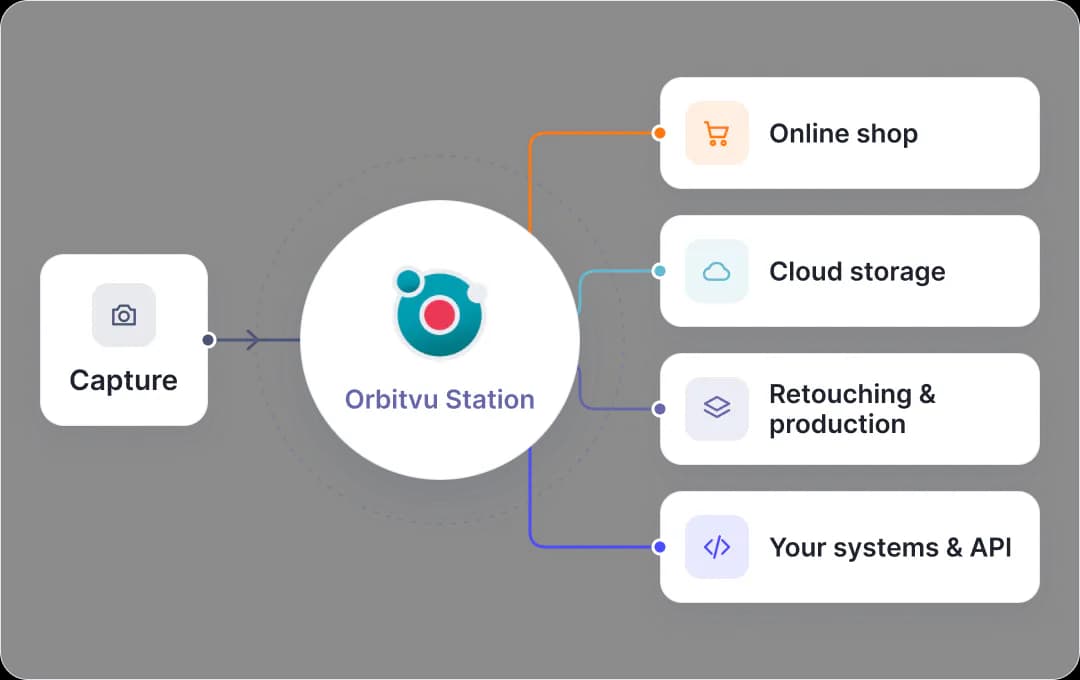
Orbitvu integrations connect straight to your e-commerce platform, cloud storage, and the production partners you already work with, so a session moves into your workflow automatically, not into a folder someone has to remember to check.

Open architecture integrations diagram

The benefits

The benefits of Orbitvu Integrations

Own your storage

Amazon S3, Microsoft Azure, or Google Cloud Storage - credentials entered once, files delivered the moment a session is published.

Built into your production line

Capture One, Bright River, and Creative Force connect straight into the same session your team already runs.

Publish straight to your shop

E-commerce plugins for Shopify, Shopware, Magento, PrestaShop, and WooCommerce match content to your product by SKU - no manual uploads.

Open for your developers

A public API, full JavaScript control of the viewer, and XMP metadata in every file, for the systems you build yourself.

The features of Orbitvu integrations

Send finished files to your own storage

Station sends finished files straight to your Amazon S3 bucket, Azure Blob container, or Google Cloud Storage bucket the moment a session is published, each object tagged with the SKU. Credentials are entered once in Orbitvu Cloud for the whole company.
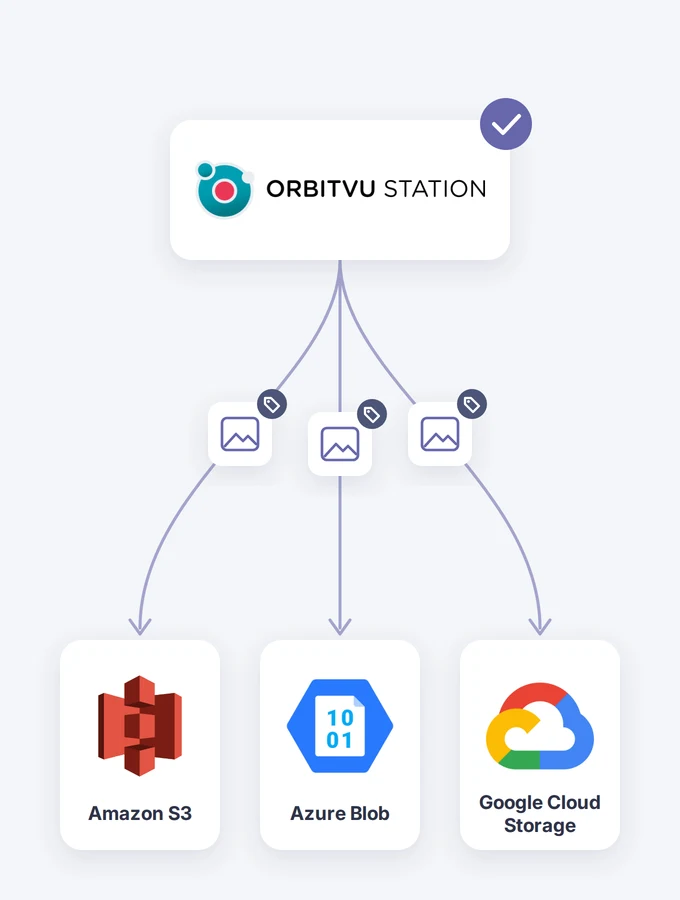
Orbitvu Station sending tagged files to Amazon S3, Azure Blob, and Google Cloud Storage

Work with your software partners

Creative Force keeps sessions and shots in sync both ways for stills, moving the job to done once files return. Bright River picks up retouching, and 3D-model builds from at least six images. Capture One's RAW engine runs under Orbitvu Station on macOS with your own licence, applying your style before the file returns.

  • Creative Force
  • Bright River
  • Capture One

Control your studio hardware

broncolor is the hardware integration in Orbitvu Station: Siros flash power and modelling light are set directly from the same session, so lighting is part of the automated capture, not a separate manual step.
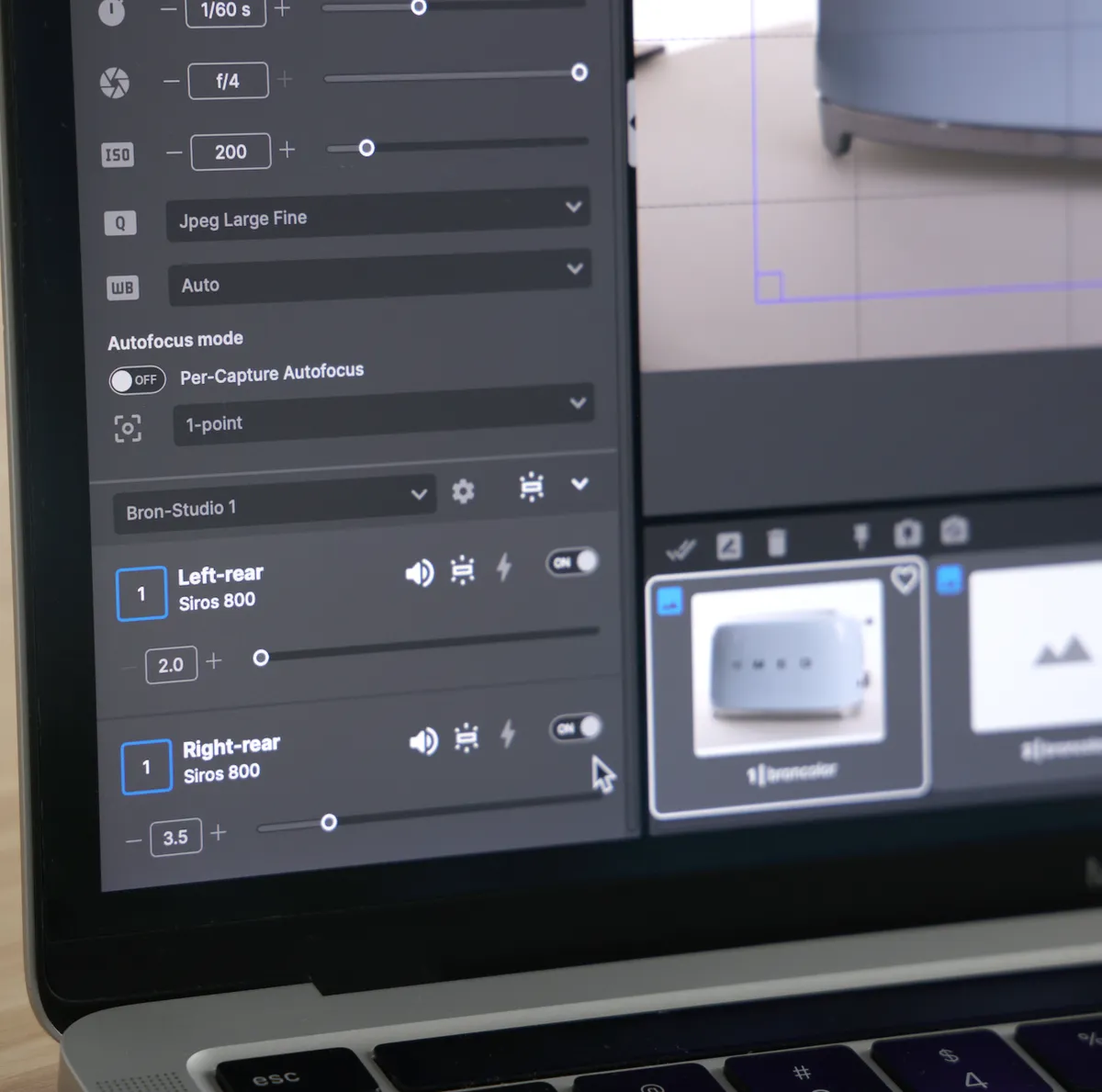
broncolor Siros light controls in Orbitvu Station on a laptop

Publish to your shop, two ways

Cloud-hosted - Shopify, Shopware 6. App-store plugin, hosted in Orbitvu Cloud, with Orbittour. Self-hosted - Magento, PrestaShop, WooCommerce, older Shopware. Runs on your own infrastructure under an Orbitvu Cloud licence, no Orbittour; PrestaShop and WooCommerce maintained only.
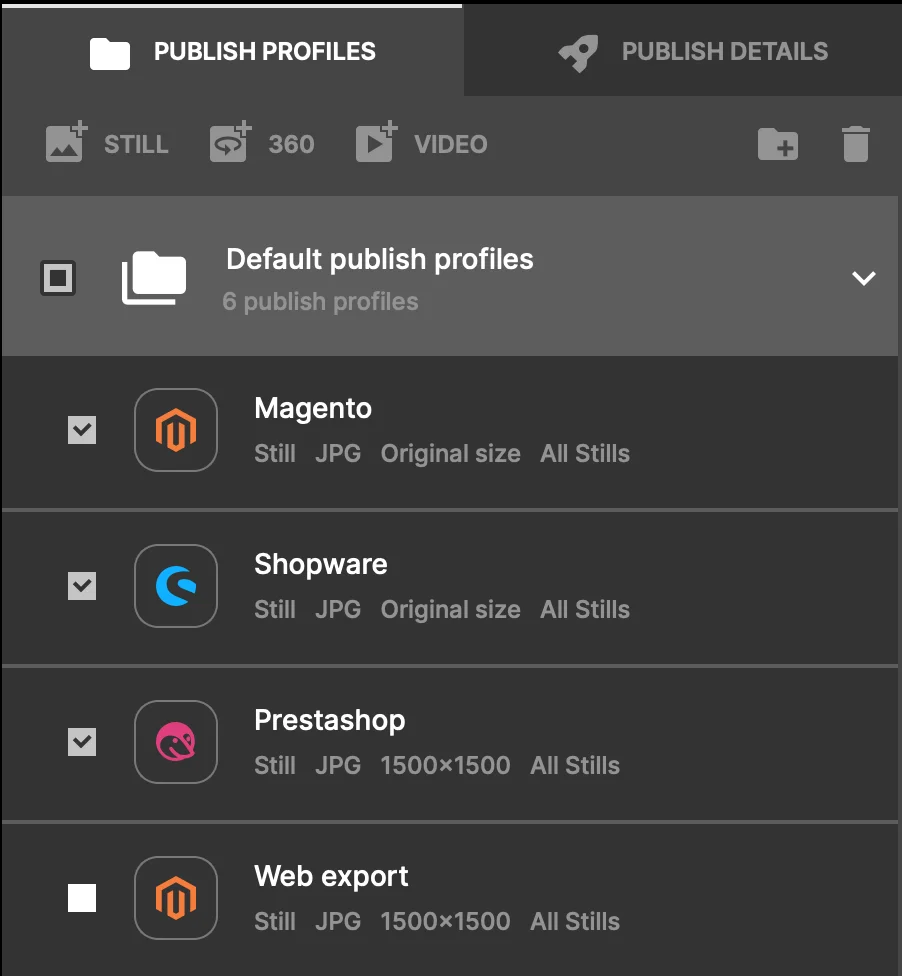
Orbitvu Station publish profiles for Magento, Shopware, and PrestaShop

Metadata that ships with every file

Add custom product attributes, and let AI read your product data straight off the label (AI OCR) to fill them in automatically. Session attributes, AI OCR results, and measurements are written into every JPG and PNG as XMP metadata, ready for your PIM or DAM system.

AI OCR reading product data from a label in Orbitvu Station

Open architecture

Integrate with custom workflows through the Cloud API or external JavaScript actions on publish and session events. Apply your own post-production tools, or route files to a dedicated cloud service, with connectors to Capture One, Bright River, and Creative Force.
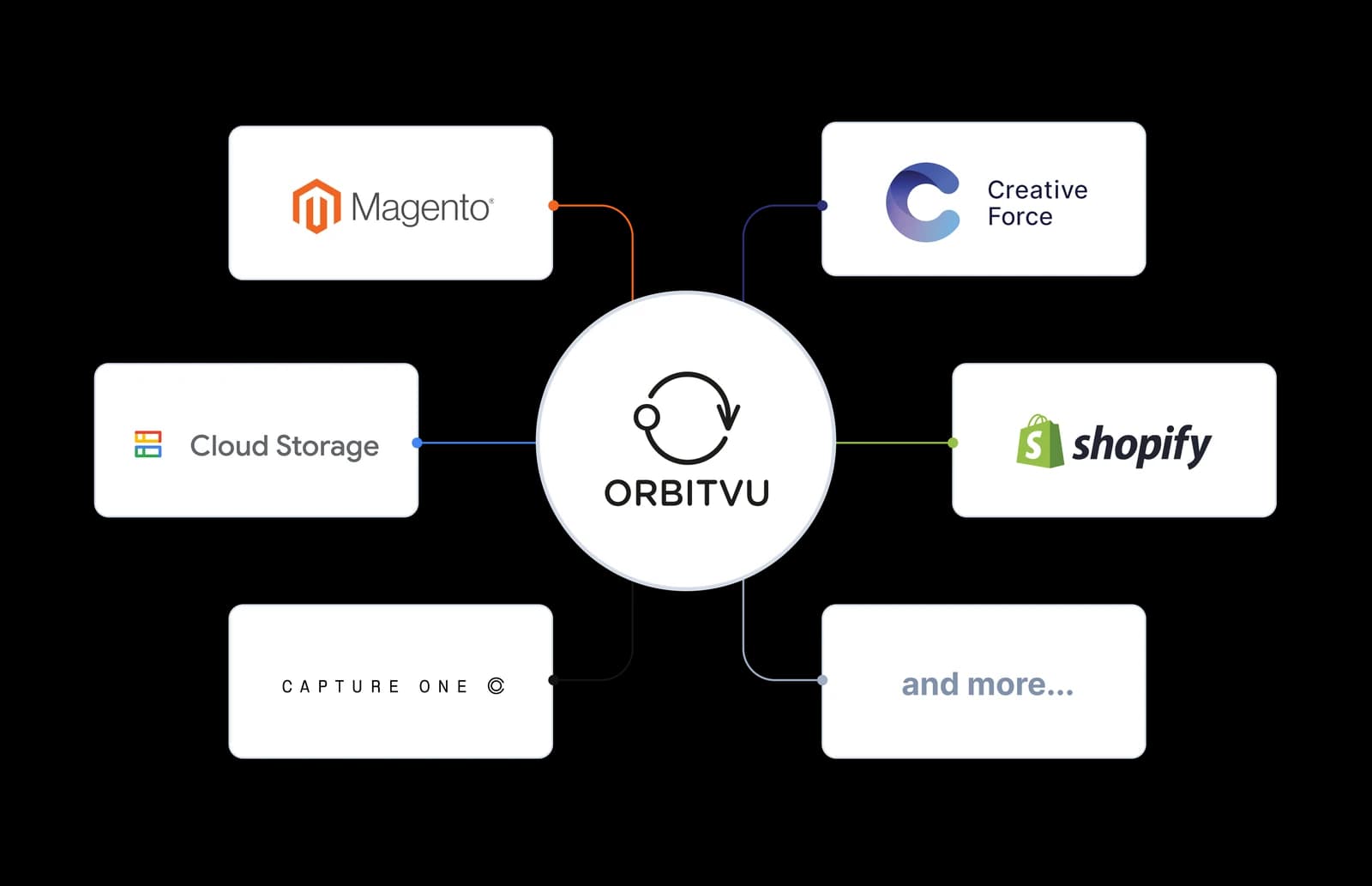
Open architecture integrations diagram

How a session reaches your systems

1. Publish from Orbitvu Station software

A publish profile sends the ready-to-use product content out.

2. Land in your own storage

Finished files are sent to Amazon S3, Azure Blob, or Google Cloud Storage, tagged with the SKU and metadata. Use a Lambda function to build your own integrations.

3. Reach your production partners

Creative Force, Bright River, and Capture One pick up the session without it leaving Orbitvu Station.

4. Go straight to your shop

Stills and 360 spins are matched to your product by SKU and published to Shopify, Shopware, Magento, PrestaShop, or WooCommerce.

5. Build on what comes with it

The Cloud API, the Viewer, Orbittour API, and XMP metadata in every file are there for your own developers to use.
Try out the software yourself and discover how it can help your business

Want to see what the e2e workflow could look like for your products?
Try the software yourself
Not sure which Orbitvu solution fits your business needs best?
Book a Free Demo

Learn more about our other software solutions

Orbitvu Station Software Splash Screen and Interface

Orbitvu Station

Orbitvu Station is the photography automation software that positions, captures, processes, and publishes straight into Orbitvu Cloud - one workflow instead of stitching tools together.
Go to Orbitvu Station
Server Login Screen on Desktop Monitor

Orbitvu Cloud

Orbitvu Cloud is a 360 product photography software for managing, sharing, and distributing your product content across channels. This SaaS cloud platform allows you to easily create product tours that combine high-quality 360-degree spins with hotspots, images, and videos.
Go to Orbitvu Cloud

FAQ

Yes. Orbitvu has a cloud plugin for Shopify that publishes stills and 360° spins to the product page, matched by SKU, with the content hosted in Orbitvu Cloud. Requires an active paid plan.

Orbitvu supports Shopify and Shopware 6 as cloud plugins, and Magento 2, PrestaShop, WooCommerce, and older Shopware as self-hosted plugins. PrestaShop and WooCommerce are maintained for existing installations, not developed for new versions.

Yes. Station sends finished files straight to Amazon S3, Azure Blob, or Google Cloud Storage, with credentials entered once in Orbitvu Cloud for the whole company. With internal JavaScript actions, you can create any custom connector to your own storage.

Yes. A Cloud API for your presentations and account, and a full JavaScript API for the viewer and Orbittour, both with public documentation. Orbitvu Station API to capture product content.

Not with a native connector today. Files carrying XMP metadata land wherever your system already reads from - a local or watched folder, your own cloud storage, or a command your own script runs after publication. Enterprise customers can scope a dedicated integration as its own project.

Custom attributes and label data read by AI OCR travel with every image as structured metadata, ready for your PIM or DAM. Dedicated metadata export to CSV and JSON is coming soon.

Yes. Creative Force syncs sessions and shots both ways for stills, Bright River picks up retouching and 3D-model builds from at least six images, and Capture One's RAW engine runs under Station on macOS, with your own Capture One licence.

Yes, through the Orbitvu Station JavaScript external actions on publish and session events, XMP metadata written into every file, and the Cloud API. The command interface requires scripting on your side, which we can support.

No. Orbitvu Station publishes directly to connected destinations - your shop, your cloud storage - from one workflow, in the background while you shoot the next product.

Didn't find your answer?Contact us