July 18, 2023
How to photograph spare parts: a 10-step guide for 2026
Learn how to photograph spare parts step by step: part numbers, lighting for reflective metal, scale, 360° spins, white backgrounds, and bulk publishing.

Meet Orbitvu's AI OCR: extract labels, part numbers, and product data straight from your images and turn it into structured metadata inside Orbitvu Station.
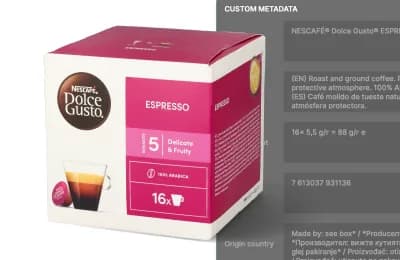
Table of contents
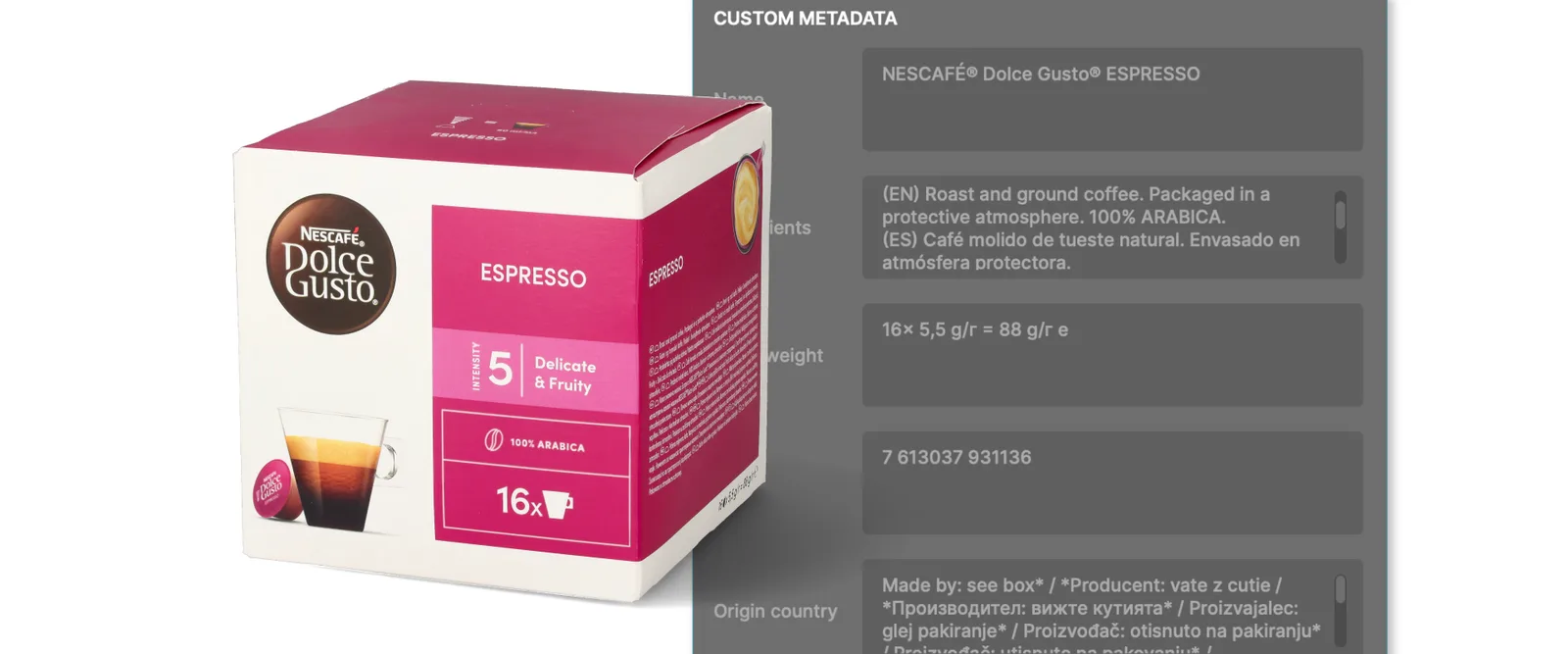
Reading product data manually - part numbers, labels, the codes printed right on your product - is slow, and you can easily get it wrong. AI OCR not only extracts the text for you, straight off the product, but also turns it into structured metadata attached to your images.
Orbitvu's AI OCR does more than recognize text. It automates product data extraction, capturing the information your catalog and connected systems actually need - part numbers, descriptions, volume, etc. - and saves it into custom attributes, which you can output as metadata.
We've added AI OCR to Orbitvu Station to capture your product data in the same process as you capture images, with less manual entry and fewer errors.
In this article, you'll learn what AI OCR does, how it fits into your Orbitvu Station workflow, and how to use it step by step. We'll also cover how AI OCR works and where it helps most.
Let's start with the definition. AI OCR (Optical Character Recognition) is a fully automated tool that extracts textual information from your products and turns it into structured product data, captured in the same workflow as your images. It can be found in the Edit tab.
AI not only recognizes characters like typical OCR, but can understand the type and meaning of the information it reads and place it into user-defined custom attributes. Here's what you can expect from it.
AI OCR reads the information straight off your product or its packaging - brand names, product names, part numbers, descriptions, weight, barcodes, etc.
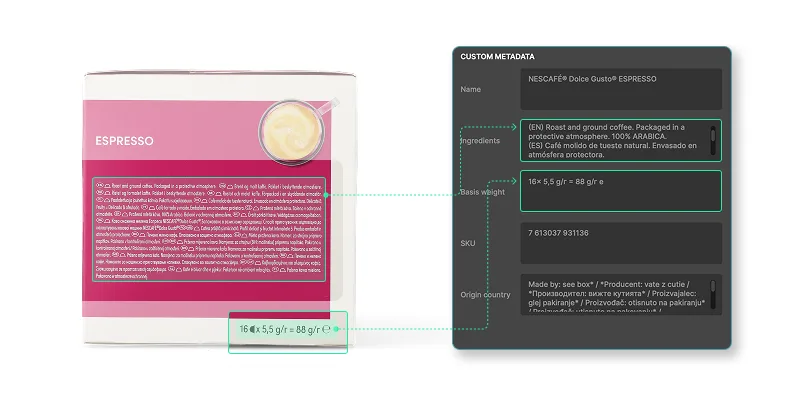
This is what sets it apart from simple text recognition. AI OCR recognizes the information and matches it with custom product attributes (like ingredients, capacity, origin), so your product data is organized, usable, and ready to publish. You define the custom attributes, and with a mini-prompt, you can guide the AI on what information it should look for.
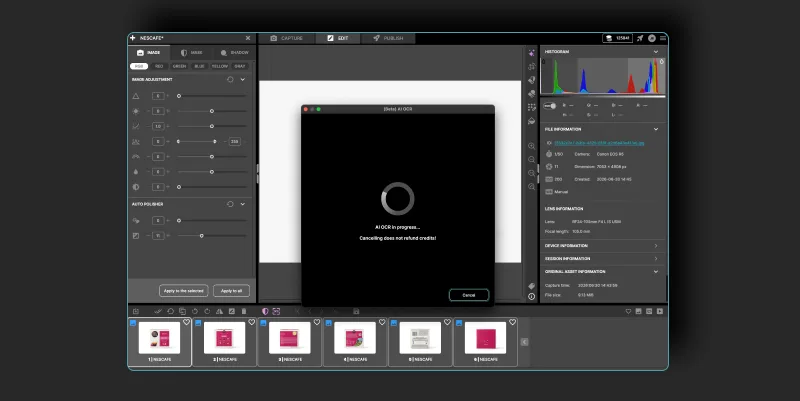
Select up to 6 images at a time, and AI OCR processes them together.
6 images means you can use box packaging to extract information from all box sides at once (4 sides around + top + bottom). It speeds up the process and makes it much more reliable. The AI can better understand the product and extract information more reliably using all 6 images at once.
Use it also for round packaging (soda cans, bottles, small tube packaging for supplements) when it isn't possible to capture all the text in one image. The AI will combine all images to consistently extract the information.
The data AI OCR captures can be exported alongside your images as embedded metadata (XMP), so it stays attached to the image wherever it goes - into your catalog, your storefront, or your connected systems. It also feeds directly into your file and folder structure, so part numbers, labels, and product attributes can drive how your files are named and organized.
AI OCR can not only recognize a specific type of information, such as a description, but also identify the language. You can choose the default language to use.
📌 Want to know how else you can improve your workflow with AI? Read our article on the 5 top benefits of implementing AI in your workflow.
Structured product data in just a few steps? Here's how AI OCR works inside Orbitvu Station.
Make sure you have an active Orbitvu Station subscription and are logged in.
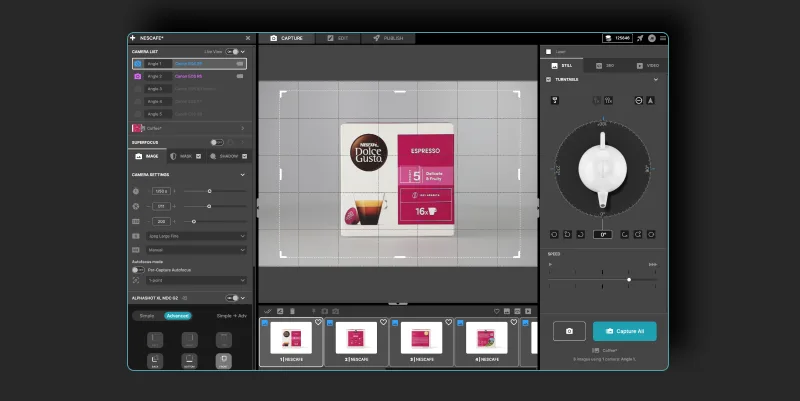
Go to Preferences -> Attributes and add the attributes you want AI OCR to extract.
Add an AI hint. To help AI OCR extract information more reliably, add an "AI OCR hint". If none is provided, the OCR will try to match information with the name of the custom attribute only. While in some obvious cases this may be sufficient (e.g. EAN-13), in other cases it is worth specifying the hint. For example, for a custom attribute named "Volume", an AI OCR hint of "Volume in metric units" will make the AI extract the volume in metric units (liters) instead of imperial ones (gallons).
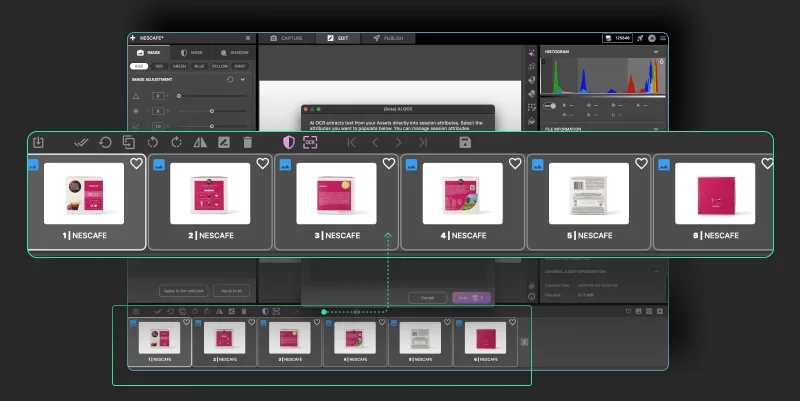
Preview the extracted information and select the language version if needed. If your product carries text in multiple languages, AI OCR lets you choose the version you want to keep.
Open a publish profile for still images. Select the Metadata option and "Session info" - it will include all custom attributes. Save the profile and publish it.
AI OCR is useful anywhere product information lives on the product itself. A few examples:
| Use case | What AI OCR captures | Why it helps |
|---|---|---|
| E-commerce | Model names, materials, dimensions - the specs that fill your product detail pages | Listings stay accurate and complete without manual data entry. |
| Industrial and manufacturing | Part numbers, serial numbers, dimensions, descriptions, etc. | Structured into data your ERP or PIM systems can use. |
| Quality control and documentation | Each product's own labels and identifiers, attached to its image | A reliable record of what was captured - useful for traceability and audits. |
With AI OCR*, during a photo session you can produce structured product data in the same cycle. Less manual work between a shoot and a finished, fully described asset, ready for your catalog and connected systems.
*All AI features are available exclusively to users on subscription plans.

AI OCR (AI-based optical character recognition) is an automated way to read text from images and turn it into usable data stored as structured custom attributes. The information is captured in the same workflow as your images and published inside image metadata.
You select up to 6 captured images, and AI OCR scans the text directly from your products - part numbers, descriptions, contents, and other details. It writes what it finds into custom attributes and exports the data inside your images as embedded metadata.
No. AI OCR is built into Orbitvu Station and runs as part of your normal capture-and-edit workflow. Select your images, run the tool, and the data is captured for you - no specialist knowledge required.
AI OCR captures the product information printed on your items and their packaging - part numbers, descriptions, and product names, along with details like product contents or dimensions. It structures that information into custom attributes.
OCR - optical character recognition - transfers text in an image into computer-readable digital characters. It doesn't analyze the information it reads. Depending on the technology, it tries to recognize single characters or whole words. AI OCR goes a step further and can understand the kind of information it reads. With a proper AI hint, it can be guided on how to read the information.
July 18, 2023
Learn how to photograph spare parts step by step: part numbers, lighting for reflective metal, scale, 360° spins, white backgrounds, and bulk publishing.
June 10, 2021
What a packshot is, where it's used, and how to shoot one - camera settings, lighting, angles, tricky packaging, and the image specs marketplaces ask for.
October 8, 2026
AI-generated product images are fast and cheap, but they can drift from the real product. Here is where generated images lose product truth, what makes AI in product photography trustworthy, and how Orbitvu uses AI around the real product, never instead of it.