June 10, 2021
Packshot photography: a quick guide for 2026
What a packshot is, where it's used, and how to shoot one - camera settings, lighting, angles, tricky packaging, and the image specs marketplaces ask for.

Learn how to photograph models step by step: planning, posing, lighting, equipment, and post-production, for lookbook and e-commerce shoots.
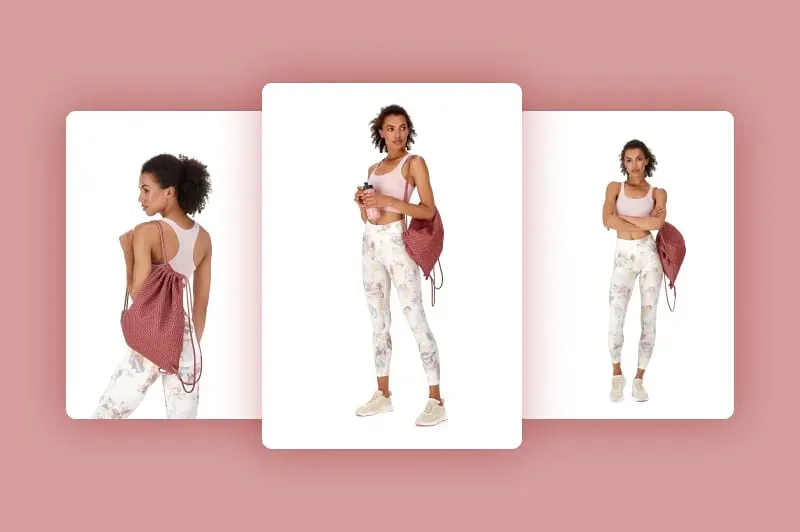
Table of contents
Model photography is the process of shooting people wearing or using a product for a lookbook, a campaign, or an e-commerce listing. It combines the technical side of product photography - lighting, equipment, and post-production - with the human side of directing a person rather than a static object. This guide covers both.
Show us what you sell, and we'll show you exactly how to capture it - packshots, video, and product data, captured live from your sample.
Model photography is any shoot where a live person wears, holds, or demonstrates a product for the camera, as opposed to still product photography, where the product is shot alone. Brands use it for two main purposes: lookbook photography, which sells a mood, a season, or a collection, and product-focused model photography, which shows how a garment or accessory fits, moves, and looks in use, usually for an e-commerce product page.
💡 If you're building the rest of your shoot around it, our guide to website product photography covers the parts of the workflow that sit outside the model session itself.
Preparation determines more of the outcome than anything you do on the day. Before the shoot, answer four questions:
| Type | Purpose | Typical setup |
|---|---|---|
| Lookbook photography | Showcases a collection, season, or brand mood through styling and setting | Location or styled studio shoot, creative backgrounds, editorial posing |
| Product-focused model photography | Shows garment construction, fit, pocket placement, and material texture for e-commerce | Plain or white backdrop (commonly RGB 255,255,255 for marketplace compliance), consistent lighting, repeatable poses |
Lookbook shoots tend to cost more per image because of location logistics and styling; product-focused shoots are built for volume and consistency, which is why e-commerce and fashion brands increasingly automate them.
Finding a model. Depending on budget and scale, brands source models through agencies, modeling platforms, social media, or an in-house casting call. Whichever route you choose, review the candidate's portfolio for consistency of expression and movement, not just still poses, and confirm usage rights and session length in writing before the shoot.
Working with a model on set comes down to four habits:
Posing is where most new model photographers lose time, and it's also one of the more common gaps in generic photography advice: a pose that works for a lookbook can look stiff on a product page, and vice versa. Use these as a starting set and adjust for the garment or product you're shooting.
| Pose | Best for | Direction cue |
|---|---|---|
| Classic standing pose | Clean product-focused shots, e-commerce | "Feet shoulder-width apart, weight on your back leg, shoulders relaxed." |
| Hip pop / S-curve | Lookbook and dresses, adds a natural line to the body | "Shift your weight onto one hip and let your shoulders angle the other way." |
| Three-quarter lean | Outerwear, tailoring, showing the garment's drape | "Lean your shoulder against the wall or prop, keep your weight forward." |
| Over-the-shoulder glance | Editorial and back-detail shots | "Turn your body away from camera, then look back over your shoulder." |
| Hand-to-face or hand-in-pocket | Accessories, jewelry, structured jackets | "Rest your hand lightly near your jaw" or "hook your thumb in the pocket." |
| Movement or walking shot | Lookbook, showing how fabric moves | "Walk toward me naturally, I'll call out when to pause." |
| Detail or close-crop shot | Product-focused: pockets, seams, closures, texture | Direct the model to hold a still, relaxed position while you shoot the detail alone. |
Photograph each pose from more than one angle before moving on. It costs seconds on set and can save an entire reshoot in post-production.
Your light source dictates most of the mood and the retouching workload that follows.
| Light source | How it behaves | Best for |
|---|---|---|
| Daylight | Free and flattering, but changes throughout the day and with the weather | Lookbook shoots with a natural, editorial feel |
| Flash (strobe) | Freezes motion, consistent output, requires more technical control | High-volume, repeatable shoots and fast-moving poses |
| Continuous light | Visible in real time before you shoot, easier to preview the final look | Beginners, video, and slower shutter speeds |
Working with daylight: shoot away from direct, overhead sun to avoid harsh shadows and color shifts, and use a diffuser to soften the light falling on the model. If the model is standing in shade, add a reflector to bounce light back in and avoid a flat, underlit look.
Working with flash: if you're mixing flash with daylight, a neutral-density grey filter keeps the ambient exposure under control. Background choice also changes what the light needs to do: a black background emphasizes backlighting and contrast, while a white background keeps attention on the product. Most cameras cap flash sync at 1/250s without high-speed sync (HSS), so plan your shutter speed accordingly.
Working with continuous light: because the output is visible before you shoot, continuous light is the easiest option for confirming a look in real time, particularly useful when you're directing a model into an unfamiliar pose.
💡 For a deeper walkthrough of equipment, setup, and troubleshooting, see our complete guide to product photography lighting.
A 50mm lens gives a natural perspective at a comfortable working distance. Longer focal lengths require you to shoot from farther back to avoid distorting the model's proportions.
Use a higher f-stop (smaller aperture) for product-focused shoots, where you need the garment's construction and texture in sharp focus throughout the frame. Use a lower f-stop for lookbook shoots, where a blurred background adds depth and a more editorial feel.
Full-frame sensors deliver higher resolution, useful for large-format print and campaign use. APS-C sensors produce lower resolution, which can be an advantage for product-focused sessions: it's less demanding on storage and post-production, and it's more forgiving of minor skin or fabric imperfections.
Beyond the photographer and model, a professional session typically needs:
Whatever the team size, make sure everyone knows the shot list and sequence in advance. A five-minute briefing at the start of the day prevents most of the delays that happen mid-shoot.
The product needs the same attention as the model. Before each shot:
💡 If you want a deeper checklist for this stage, see our guide to preparing products for a photography session.
Five rules keep editing time down and results consistent:
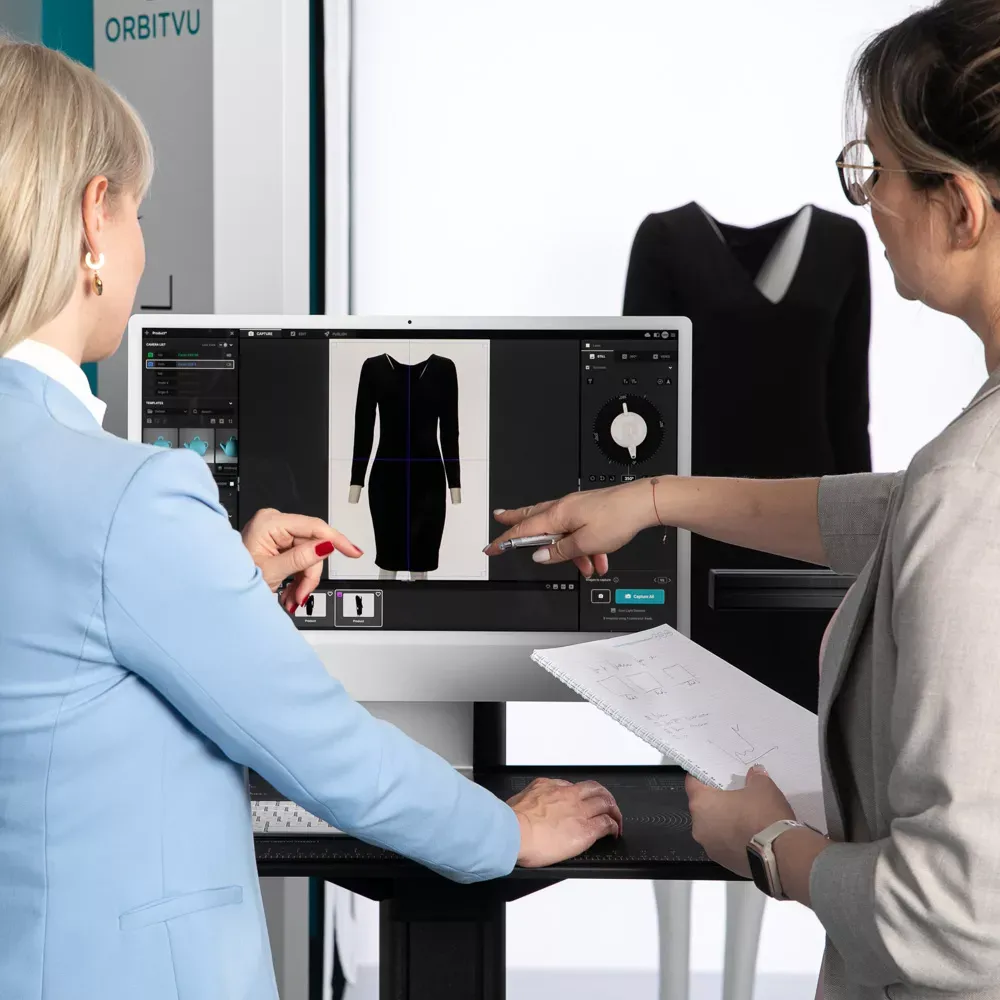
Manual model shoots don't scale well: every new SKU means booking a studio, a model, a stylist, and days of post-production. Orbitvu's Fashion Studio is built to keep the live-model workflow you already use, while removing the bottlenecks around it.
Product photography quality has a direct line to revenue: 70% of online shoppers say product content quality can make or break a purchase decision, according to a 2023 Forbes/Bazaarvoice study. A faster, more consistent model photography workflow is one of the more direct ways to raise that quality without changing the product itself.
At minimum, a camera and lens (a 50mm is a versatile starting point), a key light source (daylight, continuous, or flash), a reflector or fill light, and a backdrop. Add modifiers like diffusers or softboxes as your setup grows.
Distance depends on your lens. With a 50mm lens, a comfortable working distance keeps body proportions natural. Longer lenses require standing farther back to avoid distorting the model.
Lookbook photography sells a mood, season, or collection through styling and setting. Product-focused model photography prioritizes showing a garment's construction, fit, and material, usually against a plain background for an e-commerce listing.
Yes. Shoot away from direct overhead sun and use a diffuser to soften shadows on the model. Natural light works well for an editorial look, but it's harder to keep consistent across a large shoot than studio or automated lighting.
Fix issues you can see in-camera, such as wrinkles, loose labels, or uneven exposure, before moving to the next shot. Automated capture systems like Fashion Studio also cut editing time by applying consistent lighting and templates at the point of capture.
This article was originally published in May 2021 and was optimized with AI technology in September 2026 for better comprehension.
Use the form to tell us what you are planning and what kind of product content workflow you need.
June 10, 2021
What a packshot is, where it's used, and how to shoot one - camera settings, lighting, angles, tricky packaging, and the image specs marketplaces ask for.
October 8, 2026
AI-generated product images are fast and cheap, but they can drift from the real product. Here is where generated images lose product truth, what makes AI in product photography trustworthy, and how Orbitvu uses AI around the real product, never instead of it.
September 18, 2026
What tethering software actually does, how wired and wireless compare in 2026, the five categories of tools on the market, and how to choose one for a high-volume product photography studio.