June 10, 2021
Packshot photography: a quick guide for 2026
What a packshot is, where it's used, and how to shoot one - camera settings, lighting, angles, tricky packaging, and the image specs marketplaces ask for.

Meet Orbitvu's AI Retoucher: automatically remove reflections, correct colors, and clean up imperfections right inside your Orbitvu Station workflow.
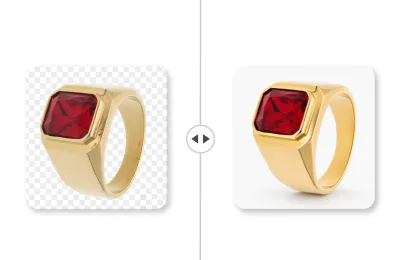
Table of contents
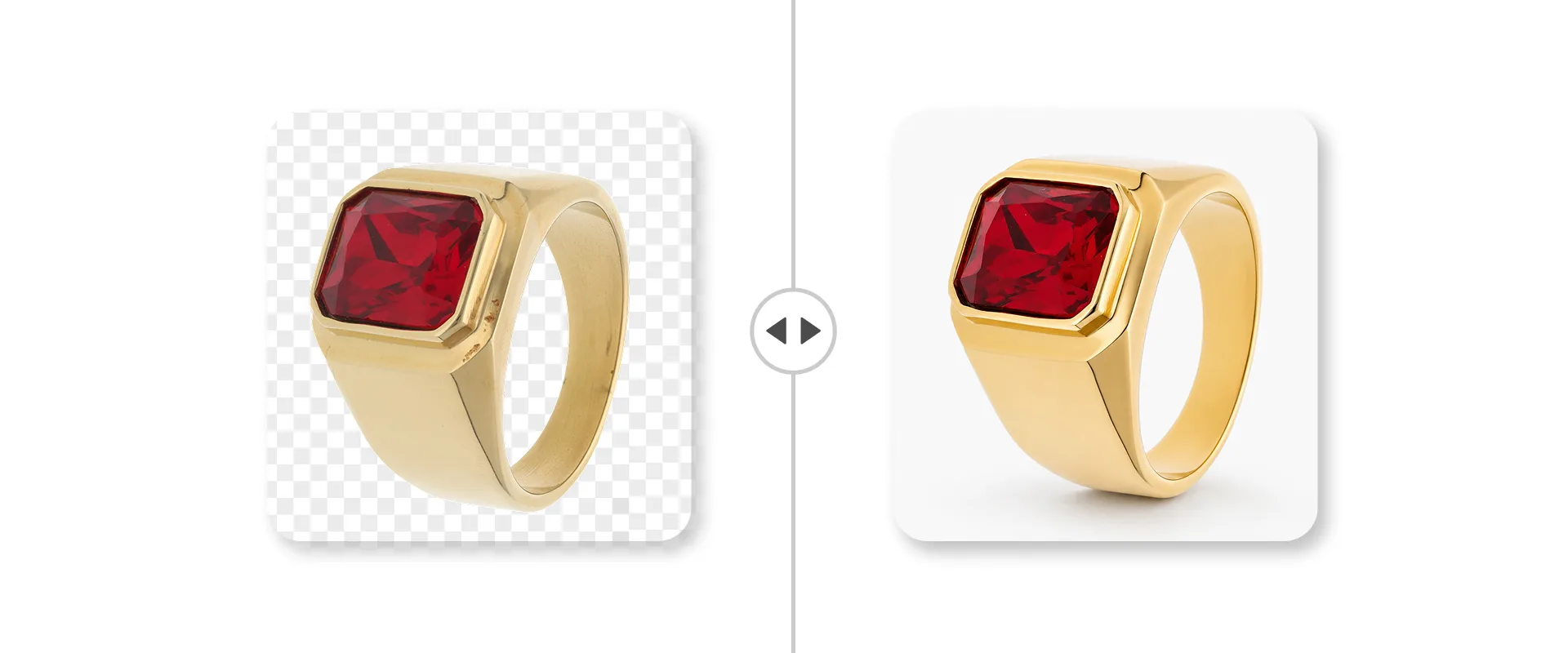
In automated product photography, AI photo retouching is often the last manual step between a good capture and a publish-ready image. Removing a stray reflection, evening out colors, cleaning up a small imperfection - it's detailed work, and at catalog scale it adds up fast. But what if you could handle all the repetitive cleanup automatically?
That's why we've added AI Retoucher to Orbitvu Station, in the AI Toolkit - to take more of the manual retouching off your hands without taking it out of your control.
In this article, you'll learn what AI Retoucher does, how it fits into your Orbitvu Station workflow, and how to use it step by step. We'll also cover how AI photo retouching works, what it can fix, and whether you need editing skills to use it.
Let's start with the definition. AI Retoucher is a fully automated photo editing tool that enhances your captured images - removing unwanted reflections, cleaning up imperfections, and adjusting colors - while you guide the result with prompts.
So how does AI photo retouching work, and what can you expect from it? Here are the key features.
AI Retoucher is in the new AI Toolkit in the Edit tab, so you retouch your captured images right where you already work - no jumping between applications, no exporting and re-importing. Everything stays in one Orbitvu workflow.
This is what sets AI Retoucher apart. Instead of editing by hand, you can select a retouch preset (with a soft or heavy effect) and get the process done. You can also edit the preset with a prompt, and the tool applies it automatically. Found a look that works? Reuse it across your catalog, so every product gets the same treatment without starting from scratch.
AI Retoucher targets the most common, most repetitive fixes: unwanted reflections, small imperfections, and colors that need adjusting. The work that used to eat up your retouchers' time now happens automatically.
Every image processed by AI Retoucher carries an AI-generated indicator. Your team can see at a glance which assets have been retouched and which are straight from capture - useful for review, quality control, and keeping your catalog honest.
Polished images in just a few steps? Here's how AI Retoucher works inside Orbitvu Station.
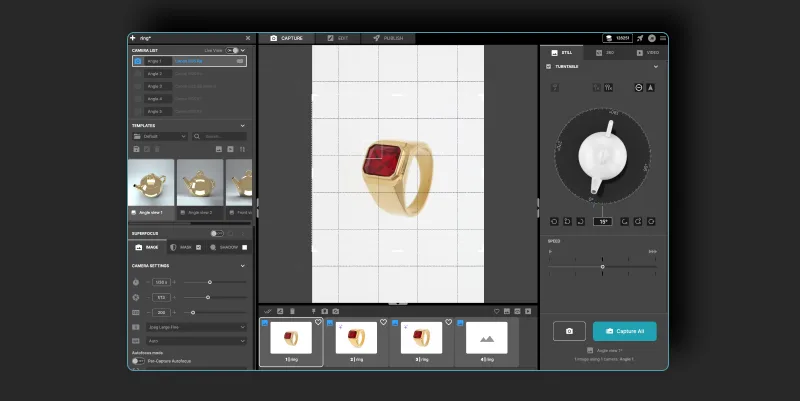
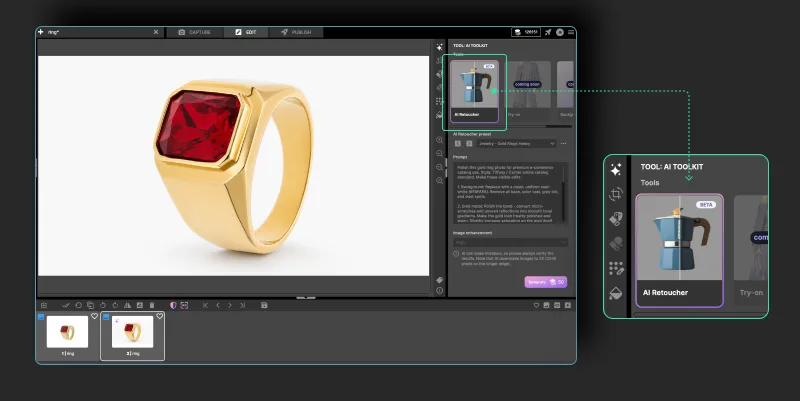
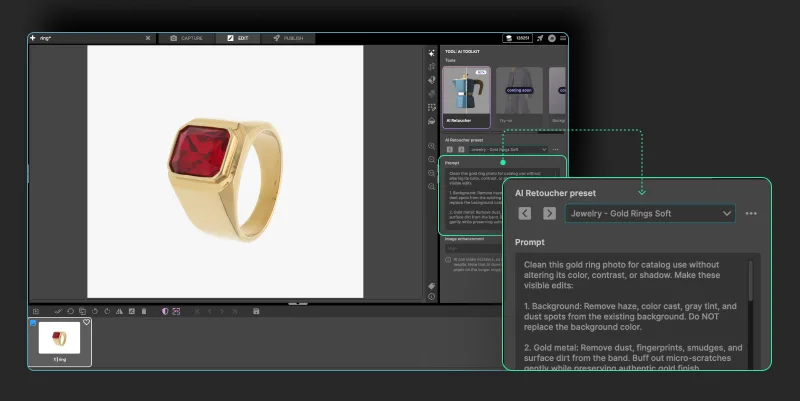
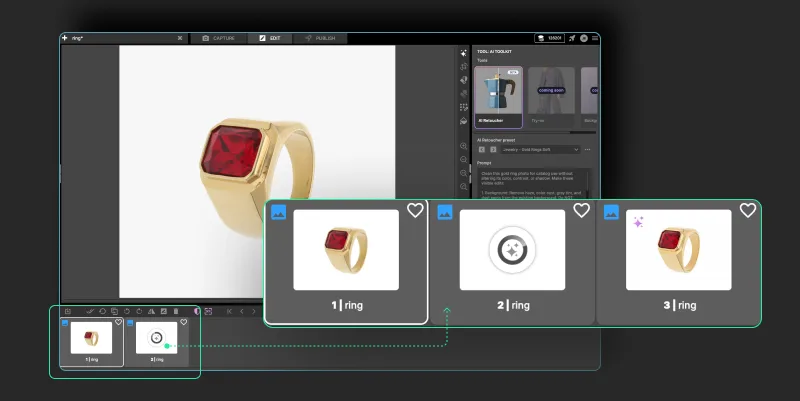
There you have it - your retouched image, ready for the next step.
The future of AI in Orbitvu Station is about making product photography simpler, faster, and easier to scale. By automating time-consuming steps like setting the lighting and retouching images, your team can spend less time on repetitive editing and more on how your products actually look.
AI Retoucher joins AI Photo Assistant, AI Masking and AI OCR as part of a growing AI Toolkit, and there's more on the way. Stay tuned.
Important note: All the AI tools are available exclusively for subscription users.
AI photo retouching is an automated way to enhance images - removing reflections, correcting color, and cleaning up small imperfections - without manual editing. Instead of working pixel by pixel, you guide the tool with a prompt or use a saved preset, and it applies the changes for you. For product photography, that means consistent, polished images at catalog scale with far less hands-on work.
📌 Want to learn more about how the technology can improve your workflow? Check out 5 benefits of implementing AI in product photography.
AI photo retouching handles the bulk of everyday fixes well - reflections, color adjustments, and small imperfections on clean, well-defined products. More complex cases, like heavy reflections on glass or intricate detail, may still need some manual touch-ups.
No. AI Retoucher is built for anyone on your team. You don't need retouching experience or design software - you describe the result you want, or pick a saved preset, and the tool does the work. That means your studio operators, content team, or marketing coordinators can produce polished images without waiting on a specialist.
Across all of these, the value is the same: AI Retoucher takes the repetitive editing off your team's plate so they can focus on the work that needs a human eye.
June 10, 2021
What a packshot is, where it's used, and how to shoot one - camera settings, lighting, angles, tricky packaging, and the image specs marketplaces ask for.
October 8, 2026
AI-generated product images are fast and cheap, but they can drift from the real product. Here is where generated images lose product truth, what makes AI in product photography trustworthy, and how Orbitvu uses AI around the real product, never instead of it.
May 24, 2021
Learn how to photograph models step by step: planning, posing, lighting, equipment, and post-production, for lookbook and e-commerce shoots.