Orbitvu

Orbitvu's Software Ecosystem

Orbitvu's product photography tools run on Orbitvu Station - the automation software behind every Orbitvu setup. One system, three levels of automation, AI features, real products turned into trusted content.

One software, three stages

Starts with your camera, grows with your needs

From a standalone camera workflow to a fully automated compact studio: Orbitvu Station runs the same workflow in every setup.

Entry

Ready to go with any Canon camera

Camera control, automated post-production, and AI where it counts.

Any studio setup with Canon camera

Extended

Expand with flash lighting and Orbitvu equipment

Add broncolor Siros flashes as well as motorized turntables and camera equipment from Orbitvu Smart Photo Studio.
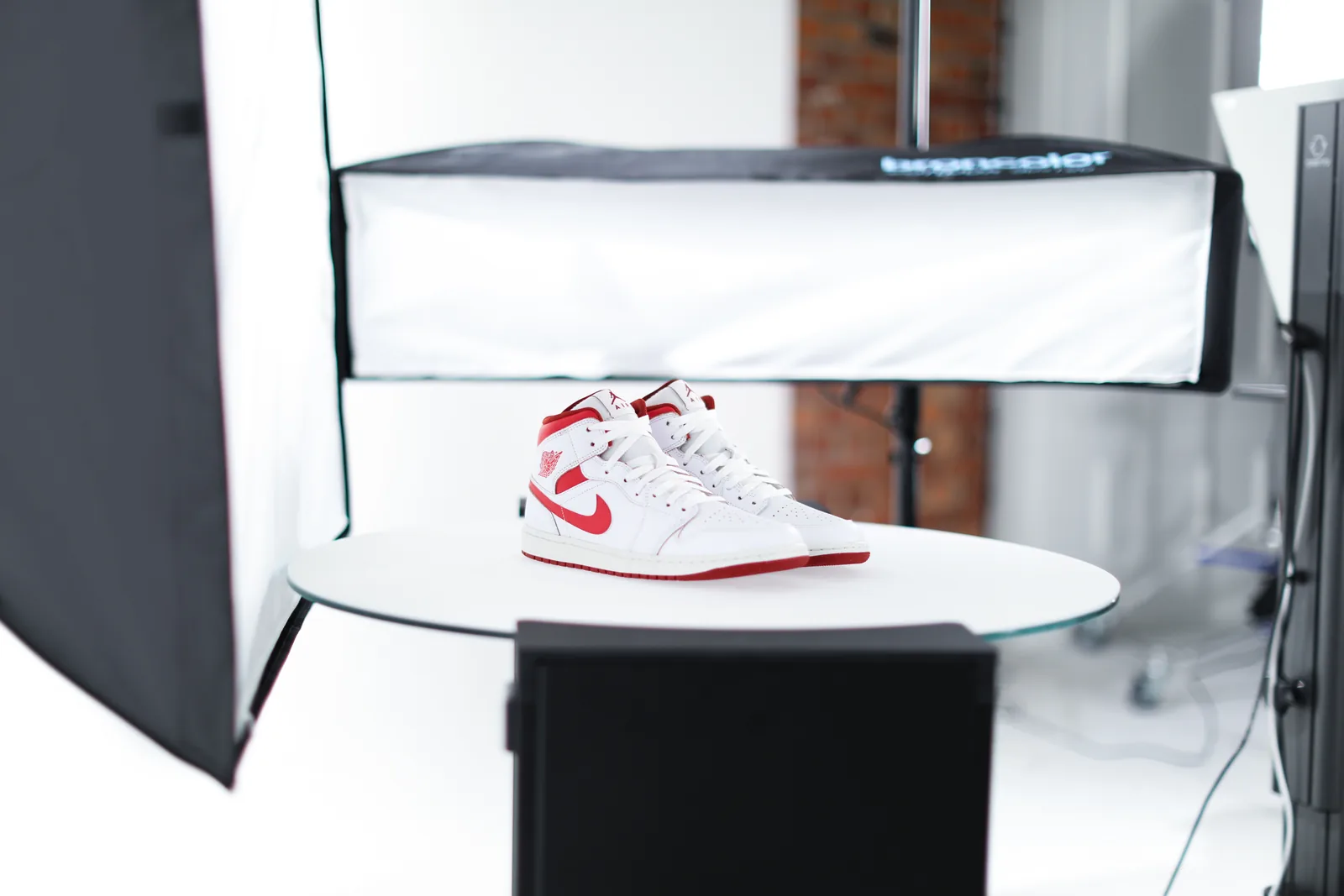
Lighting and motorized gear setup

Fully automated

Fully automated with Orbitvu compact studios

One system controls the camera, lighting, and studio, from capture to finished image.
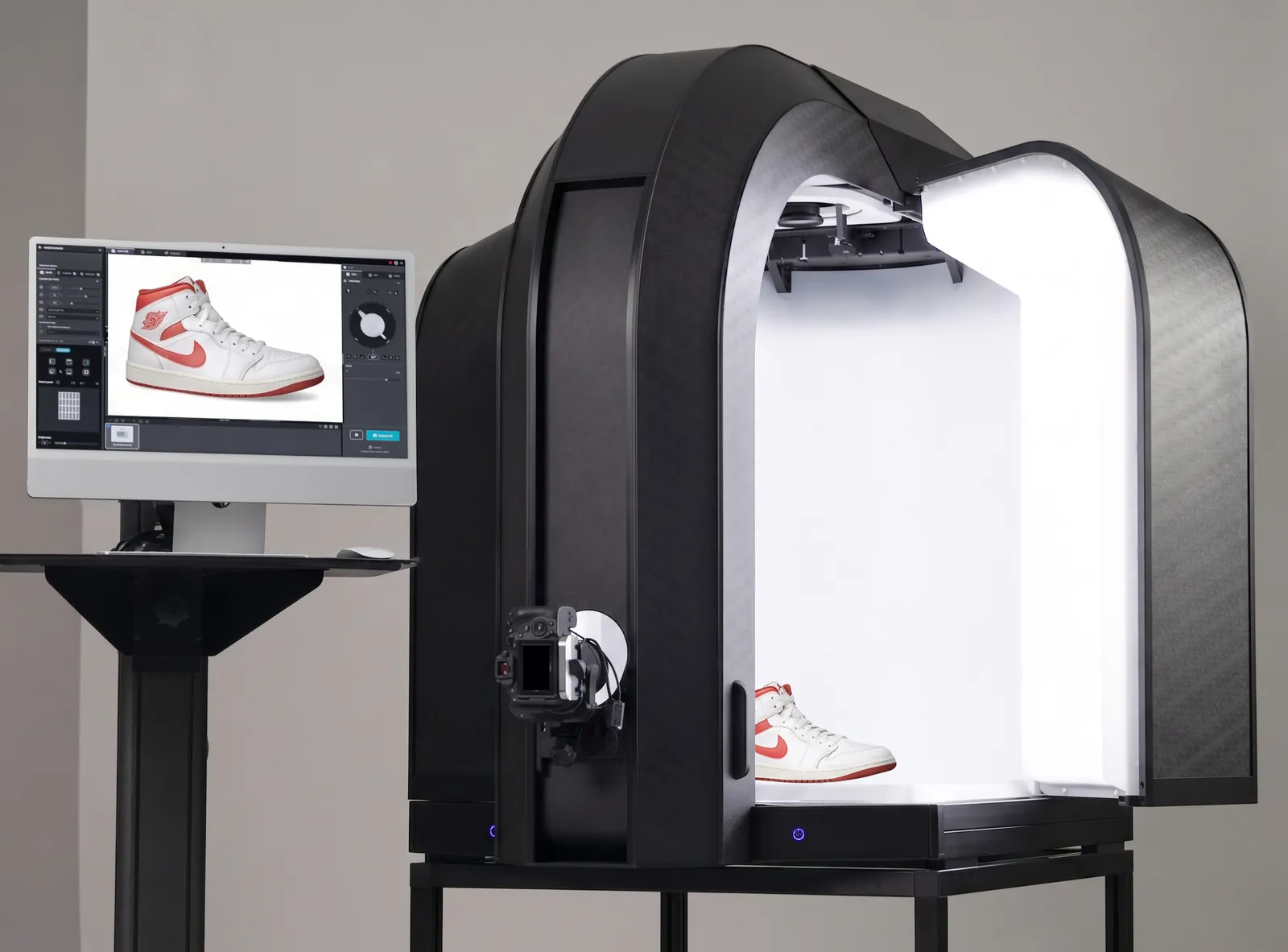
Orbitvu compact studio workflow

Orbitvu software ecosystem - product photography tools in one system

Orbitvu's product photography tools consist of four components: Orbitvu Station, Orbitvu AI Toolkit, Orbitvu Cloud, and integrations.
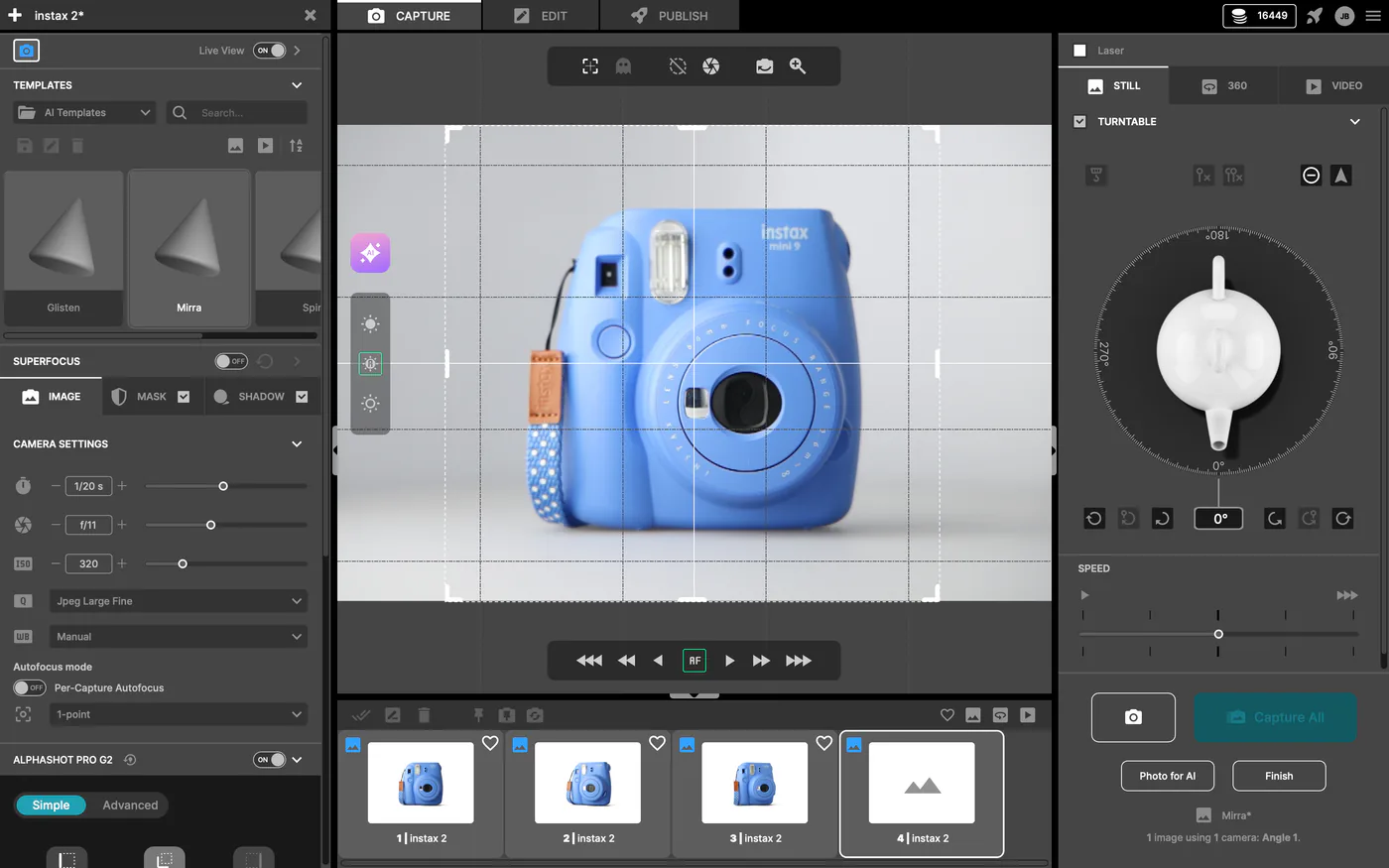
Orbitvu Station product photography software interface

Orbitvu Station

Orbitvu Station is the heart of our software ecosystem. This desktop application lets you create consistent product content, including packshots, 360-degree/3D product spins, and videos. Files leave Orbitvu Station with structured metadata attached, ready to feed into your PIM, DAM, or ERP via a watched folder, cloud storage, or a scripted handoff.
Go to Orbitvu Station
Future-ready Orbitvu workflow with upcoming AI capabilities

Orbitvu AI Toolkit

Orbitvu AI Toolkit brings features like AI OCR, AI Retoucher, AI Photo Assistant, and AI Masking into one place - removing backgrounds, extracting product data, and enhancing images while keeping every product true to reality. AI assists you along the way; the final choice is always yours.
Go to Orbitvu AI Toolkit
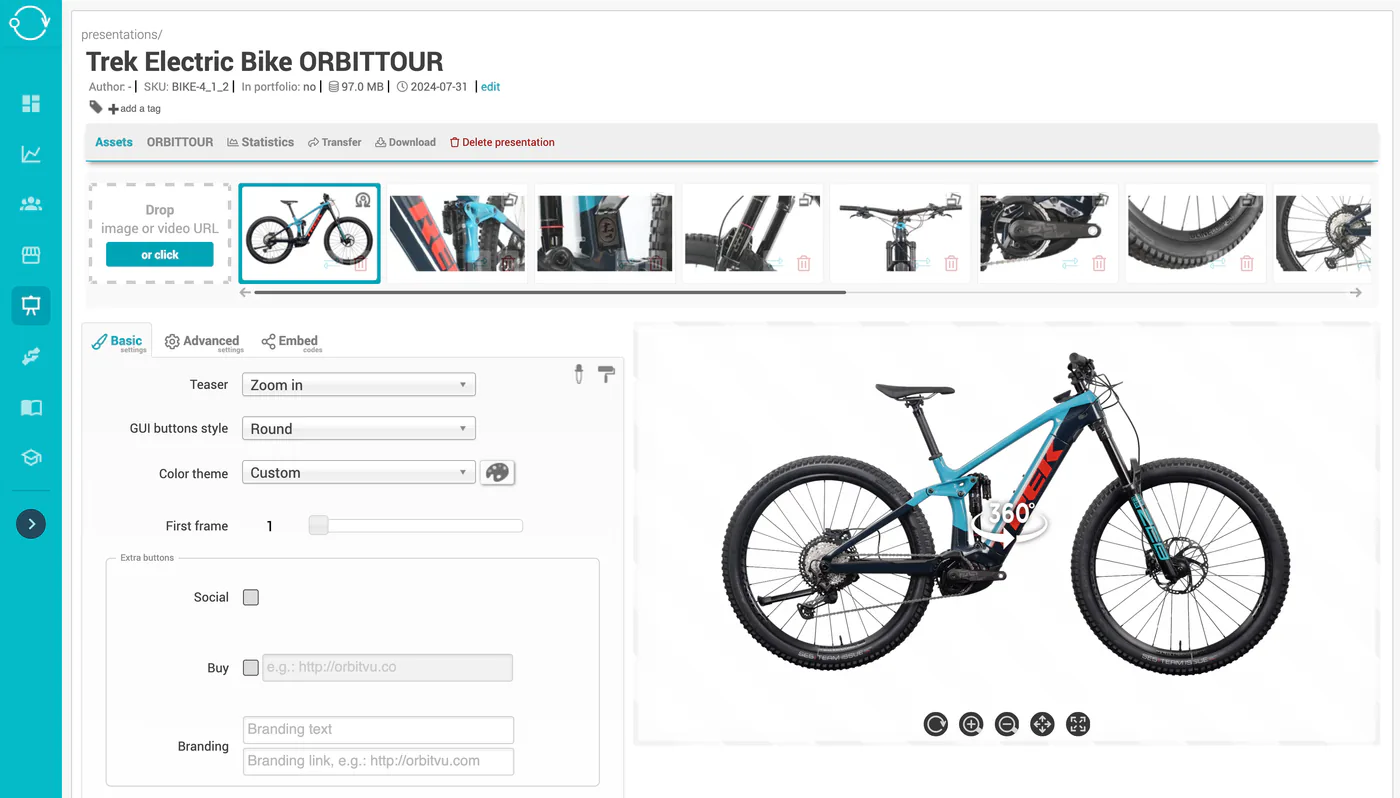
Orbitvu Cloud product tour editor with a 360° bike spin

Orbitvu Cloud

Our cloud service helps you make the most out of your content. Create interactive product tours, distribute them fast to e-shops or marketplaces, and showcase your products with 360-degree spins on any device. Want more? Manage users and measure their performance to better optimize your processes.
Go to Orbitvu Cloud
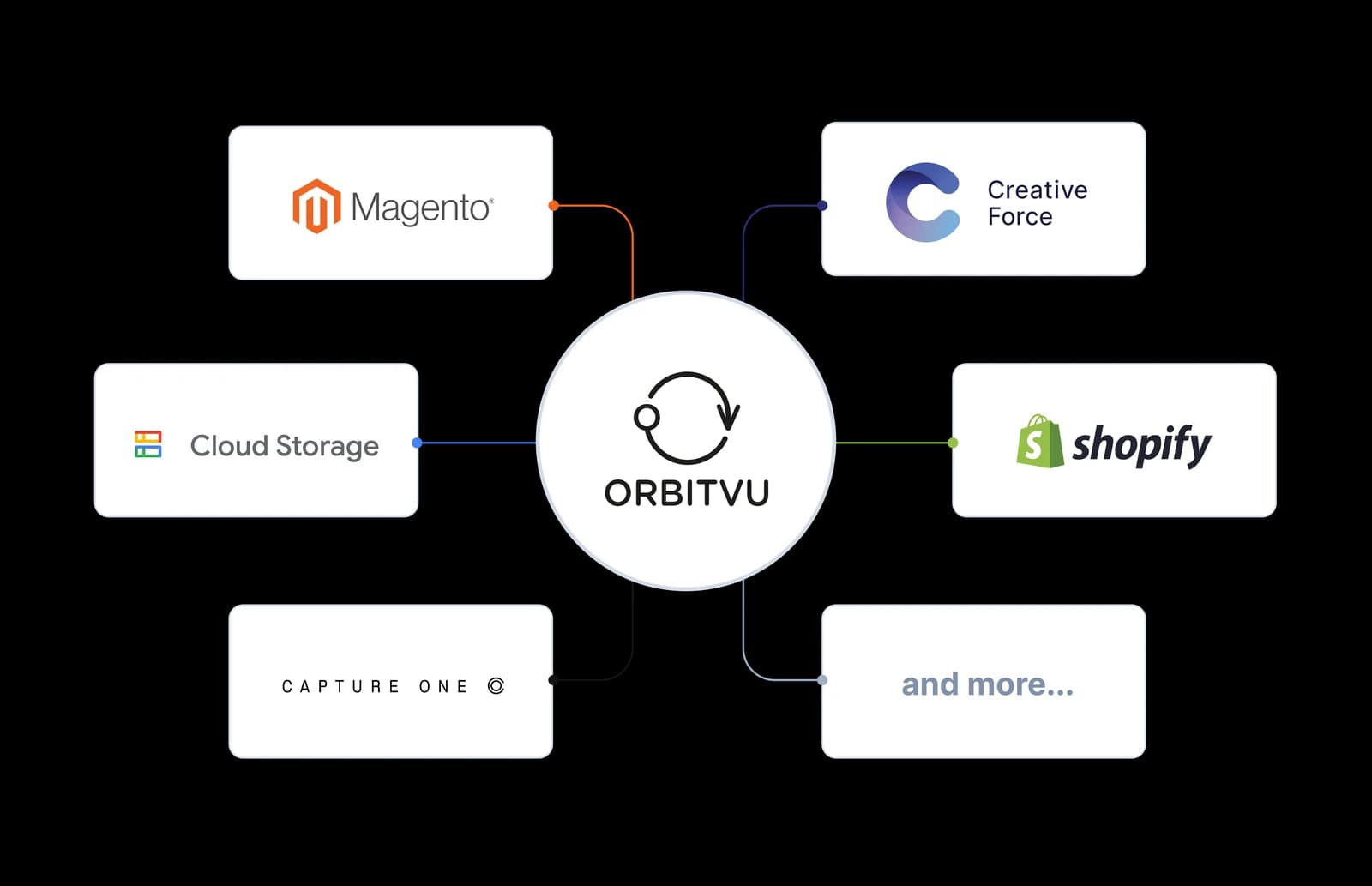
Open architecture integrations diagram

Orbitvu integrations

Orbitvu connects to the systems you already run. Publish stills and 360 spins straight to your e-shop - Shopify, Magento, PrestaShop, WooCommerce, and Shopware - matched to the right product by SKU, with no manual uploads. Send finished files to your own cloud storage, or route them through workflow partners like Capture One and Creative Force.
Explore Orbitvu integrations

FAQ

Frequently asked questions

Orbitvu Station is the desktop application that does the actual work - it captures, edits, and publishes your product content on your own computer. Orbitvu Cloud is where everything around that work lives at the business level, not tied to one person's login: the 360 spins and product tours you've published online, who on your team can access what, your AI credit balance, and the saved credentials that let Station publish straight to your e-shop or cloud storage. The AI Toolkit is the set of AI features: AI Photo Assistant, AI Masking, AI OCR, and AI Retoucher.

Start wherever your studio is today. Orbitvu Station runs standalone with any Canon camera for tethering and automatic post-production. Add Smart Photo Studio hardware when you want lighting and positioning automated too. Or choose a compact Orbitvu photo studio if you want one system controlling the camera, the lighting, and the studio itself. All three run on the same software, so moving up a level doesn't mean switching tools.

Shopify and Shopware 6 through cloud-hosted plugins, and Magento, PrestaShop, and WooCommerce through self-hosted ones - all matched to your product by SKU. Beyond e-commerce, Station also sends finished files straight to Amazon S3, Microsoft Azure, or Google Cloud Storage, and connects to workflow partners like Capture One and Creative Force.