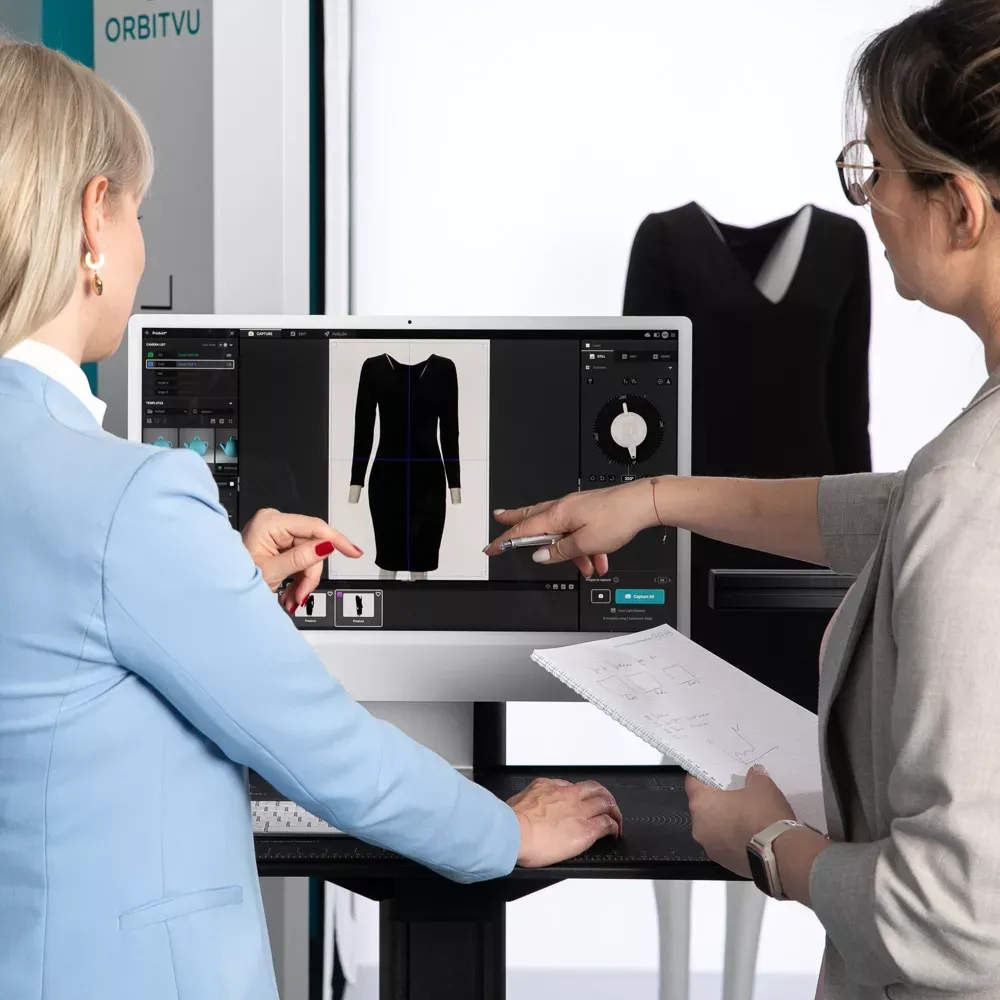
Product photographyNovember 3, 2020Updated September 16, 202613 min read
360 product photography: the complete guide
A complete guide to 360 degree product photography. Get info and tips on 360 spin product photography, 360 product photography equipment, and software.
Table of contents
360 product photography is a technique that captures a product from a full circle of angles and stitches the images into a single, rotatable view a shopper can spin with a mouse, finger, or scroll. It replaces a handful of static angles with a continuous view of the whole product, which is why it shows up on e-commerce product pages, industrial parts catalogs, and marketplace listings alike.
This guide covers how it works, when to use it, what equipment it takes, and how to automate it at production scale - whether you're shooting a catalog of sneakers or documenting spare parts for a technical database. If you're setting up the physical shoot itself, our product photography lighting setup guide covers that layer in more depth.
Key takeaways
360 product photography captures a sequence of still images around a product (commonly every 10°) and combines them into one spin - not a video, though the effect looks similar.
The format serves two very different audiences: e-commerce buyers who want to inspect a product before purchase, and industrial/QA teams who need a repeatable, audit-grade visual and dimensional record of a part.
A basic 360 setup needs three things: a motorized turntable, a camera (or multi-camera rig), and controlled lighting - software stitches the frames into the final spin.
Orbitvu automates the full workflow with Alphashot Pro G2 and the Orbitvu 360 Turntables for e-commerce, and Alphashot XL G2 for industrial documentation that also captures dimensions and label data in the same pass.
What is 360 product photography?
360 product photography is a row of individual photographs taken at even angles around an object - typically every 10°, for 36 total images - then combined into a single interactive view that simulates the object rotating in place. The shopper drags, swipes, or scrolls to spin the product and see it from any angle, instead of clicking through a fixed set of static photos.
The format has been around longer than most shoppers realize. Apple introduced QuickTime Virtual Reality (QTVR) in 1994, the first widely used technology for 360° object spins, decades before it became a standard e-commerce feature. Today it runs on a motorized turntable and a camera instead of the manual rigs early adopters built by hand.
360 photography is not the same thing as a 3D model. A 360 spin is a set of real photographs of your actual product; a 3D model is a computer-generated mesh built to look like the product. For a wider view of what a full product photo shoot involves beyond the spin itself, see our guide to website product photography.
How does 360 product photography work?
A single-row 360 spin works by keeping the camera fixed and rotating the product on a motorized turntable, capturing one still image at each stop (commonly every 10°, for 36 frames per full rotation). Software then stitches the sequence into a file the shopper can drag or swipe through - no video recording involved, even though the end result plays back like one.
Three components make this repeatable instead of a one-off manual project:
the turntable (motorized, precise, and synced to the camera trigger),
camera and lighting rig (fixed in place so every frame lines up),
stitching software (assembles the frames, removes the background, and exports a web-ready file).
Skip any one of the three, and you're back to manually rotating a product by hand between shots - workable for a handful of SKUs, unmanageable for a catalog.
Example: 360° spin of a Dewalt tool
What are the different types of 360 product photography?
Not every 360 format works the same way, and the right one depends on how much interactivity and file weight your platform can handle.
Type
How it works
Best for
Non-interactive spin (GIF/video loop)
A pre-set animation plays automatically on a loop; the viewer can't control the rotation.
Social media posts and ads where autoplay matters more than control.
Interactive single-row spin
The viewer drags or swipes to rotate the product around one horizontal axis.
Standard e-commerce product pages - the most common format.
Multi-row (3D/spherical) spin
Images are captured at several vertical angles in addition to the horizontal row, so the viewer can also tilt the view up and down.
Products where the top, underside, or an angled view matters - shoes, bags, electronics.
Double-axis spin
Combines horizontal and vertical rotation with a smaller file size than a full spherical spin.
Mid-complexity products that need more than one axis without the full data weight of a 3D spin.
Virtual product tour
A guided 360 view with clickable hotspots that highlight specific features as the viewer explores.
Technical or feature-dense products - machinery, furniture with modular options, electronics.
360° product video
A recorded video of the product rotating, rather than a stitched still-image sequence.
Marketplaces or social channels that support video but not interactive spin embeds.
What are the benefits of 360 product photography for e-commerce?
For online sellers, a 360 spin closes the gap between what a shopper can see on a screen and what they'd notice picking the product up in a store.
Benefit
What it means in practice
Fuller product information
Shoppers see every angle before buying, instead of guessing at what's off-frame in static photos.
Higher buying confidence
A more complete view supports a more informed purchase decision, which matters most for products shoppers would normally want to handle first.
Fewer returns
Buyers who saw the full product before ordering are less likely to return it over an angle or detail they didn't expect.
Fewer pre-sale questions
Customers who can inspect a product themselves need to ask your support team less.
Stronger competitive differentiation
A page with an interactive spin stands out next to competitors using flat, static images.
Product content quality has a measurable effect on purchase decisions: 70% of online shoppers say product content can make or break a sale, according to a 2023 Forbes/Bazaarvoice study. A 360 spin is one of the more complete forms of product content a page can carry.
What are the benefits of 360 product photography for industrial and B2B applications?
Industrial and QA teams use 360 photography for a different job than e-commerce: not persuasion, but documentation. A part, component, or piece of equipment needs a visual record that's accurate, repeatable, and traceable back to a specific unit - the same standard applies whether the part ships to a customer or sits in a parts catalog.
Benefit
What it means in practice
Audit-grade consistency
Every part is captured under the same lighting, angle set, and turntable position, so records stay comparable across thousands of components.
Faster spare-parts cataloging
A single capture cycle produces stills, a 360 spin, and (on some systems) dimensional data - no separate measurement station required.
Structured data for downstream systems
Captured dimensions, weight, and label data can populate PIM, ERP, and DAM systems directly instead of manual data entry.
Reduced dependency on specialist photographers
A guided, repeatable workflow means technicians - not only trained photographers - can run the capture station.
Alphashot XL G2 is built specifically for this use case: it pairs a 360° capture cycle with a laser dimensioning system and AI OCR that reads labels, barcodes, and compliance data from the part itself, producing a single record with images, dimensions, weight, and metadata together.
If the product is simple, flat, or already fully described by 2-3 static angles, a 360 spin adds production cost without adding much buyer value - a well-lit packshot may do the job. Our large product photography tips guide covers the static-photo side of that trade-off for oversized items.
What equipment do you need for 360 product photography?
The equipment list scales with volume: a hobbyist shoot and a production-line capture station share the same three core components, but automation adds a controller layer on top.
Equipment
Role
Motorized turntable
Rotates the product in precise, repeatable increments (commonly every 10°), synced to the camera trigger.
Camera or multi-camera rig
Captures each frame. A single-row spin needs one fixed camera; a multi-row/3D spin uses a rig of 4-5 cameras positioned at different vertical angles.
Lighting
Fixed, controlled light keeps every frame in the sequence consistent - inconsistent lighting is the most common cause of a jittery-looking spin.
Background/backdrop
An enclosed or plain backdrop keeps the focus on the product and simplifies background removal in post.
Stitching software
Assembles the captured frames into the final interactive file and typically handles background removal and export formatting.
USB hub and cable management
For multi-camera rigs, keeps all cameras triggering together without connection drops mid-sequence.
Building this in-house from individual components is possible, but it takes real setup and testing time before it's production-ready - most teams pilot it on a small batch of SKUs before rolling it out to a full catalog.
A multi-camera 3D rig mounted around a 360° turntable
How does Orbitvu automate 360 product photography?
Orbitvu builds the turntable, lighting, and stitching workflow into one system, so a 360 spin comes out of a single automated capture cycle instead of a manual multi-camera rig you assemble and calibrate yourself.
E-commerce - cosmetics, electronics, small appliances, accessories
360° spin and web-ready video in about 1 minute, up to 250 products a day; handles objects up to 35 × 35 × 40 cm and 10 kg, lit by 74 independently controlled light sources.
Stills, 360° spins, and video for products up to 4 tons, published web-ready in minutes.
AI Photo Assistant sets up the lighting for the product type you're shooting, and you can adjust it further from there - the final choice is always yours. One capture cycle, one system, whether you're publishing to a storefront or feeding structured data into your ERP.
Simplify your 360 product photography with Orbitvu
Building a 360 workflow from separate cameras, a turntable, and stitching software is possible, but every added component is another thing to calibrate, sync, and maintain. Orbitvu Station connects capture, background removal, and publishing into one workflow, whether the output is a storefront-ready spin or a structured record for your parts database.
It's a technique that captures a product from a full circle of angles - typically 36 images taken every 10° - and combines them into one interactive view a viewer can rotate. It's built from real still photographs, not a video recording or a 3D model.
How many photos do you need for a 360 product spin?
Most single-row spins use 36 images, captured every 10° around the product. Multi-row or 3D spins need more, since images are also captured at several vertical angles.
What's the difference between 360 product photography and a 3D model?
A 360 spin is a set of real photographs of your actual product, stitched into a rotatable view. A 3D model is a computer-generated mesh built to resemble the product, not a photograph of it.
Do I need multiple cameras for 360 product photography?
Not for a standard single-row spin - one fixed camera and a motorized turntable are enough. Multi-row (3D) spins need a rig of several cameras (commonly 4-5) positioned at different vertical angles to capture the extra rows.
Is 360 product photography worth it for every product?
No. It earns its cost when a product's shape, texture, or specific features aren't fully conveyed by 2-3 static angles - items like electronics, footwear, furniture, or technical parts. Simple, flat products are often served well enough by a good packshot alone.
Can 360 product photography be used outside of e-commerce?
Yes. Industrial and QA teams use it to document spare parts and components, often alongside dimensional data (length, width, height, weight) and OCR-extracted label data, so the same capture cycle produces both a visual record and structured metadata for ERP, PIM, or DAM systems.
How long does it take to capture a 360 product spin?
On an automated system like Alphashot Pro G2 or Alphashot XL, a full spin and a web-ready video come out in about a minute. Manual setups without automation take considerably longer, since the product has to be rotated and re-triggered by hand between shots.
What file formats does a 360 product spin use?
Orbitvu's systems export to standard image and video formats, including JPEG, PNG, PSD, BMP, GIF, TIFF, MP4, and MOV, so the output fits whatever your storefront, marketplace, or DAM system requires.
Talk to Orbitvu about your workflow
Use the form to tell us what you are planning and what kind of product content workflow you need.
AI-generated product images are fast and cheap, but they can drift from the real product. Here is where generated images lose product truth, what makes AI in product photography trustworthy, and how Orbitvu uses AI around the real product, never instead of it.
What tethering software actually does, how wired and wireless compare in 2026, the five categories of tools on the market, and how to choose one for a high-volume product photography studio.